The most convincing shops in Sakura School Simulator are often the smallest. A huge café may look impressive from the street, but its empty corners and long counters can make the room feel lifeless. A tiny bakery has the opposite advantage: nearly every object can serve the story.
You do not need a viral Props ID to make one. This is an original design exercise using the game’s object-arrangement tools. The exact furniture names available to you can differ by version, so think in shapes and functions: a counter, display area, shelf, entrance and somewhere for a customer to wait.
Highlights
- This is an original player-made layout, not an official Garusoft building or hidden bakery mission.
- Start with a compact rectangular space and leave a clear route from entrance to counter.
- Use repeated, simple Props before adding decorative objects; the silhouette matters more than clutter.
- A separate preparation corner makes screenshots feel like a working shop rather than a furniture display.
- Save a local copy before experimenting with elaborate decorations or community sharing.
Quick answer: Build a small rectangle, divide it into a public counter and a staff corner, add a few display surfaces and test the walking space. A clean layout is more important than the number of Props used.
Table of Contents
- Plan the bakery before placing furniture
- Choose Props by shape, not by perfect labels
- Make the entrance and customer route believable
- Add the small details that sell the story
- Use the camera to hide a limited build
- Save and share only after the layout passes its checks
- Frequently Asked Questions
Plan the bakery before placing furniture
Start with one question: what should the viewer understand in the first three seconds? For a bakery, the answer is usually the counter and something that looks like bread or pastries. Put the storefront on one short side of a rectangular room. Place the service counter opposite the entrance, slightly off center so the space does not become a corridor.
Draw a rough plan on paper if needed. Reserve one strip for walking, one for the display and one for storage or preparation. A compact footprint is easier to furnish on a modest phone. You are not trying to reproduce a real commercial kitchen to scale; you are creating the visual clues that make a game location readable.
Choose Props by shape, not by perfect labels
Furniture catalogs change when Garusoft adds new objects. If your version does not contain a perfect bakery display, use a table-like surface, a shallow shelf or a low divider. Repeated rectangular shapes can suggest a countertop, while pots and plants can soften an otherwise mechanical interior. Avoid presenting a decorative item as functional when the game does not give it that function.
Work from the large objects down. First place walls or visual boundaries, then the counter, then shelves, then small accents. Keep the palette to two main colors plus a single brighter accent. That restriction makes the screenshots coherent even when the available assets come from different sets.
Make the entrance and customer route believable
Try walking through the finished space from the doorway. Can the character reach the counter without bumping into decorations? Is there room to turn around? Can a second character stand in front of the display during a staged scene? These basic checks matter more than fitting another row of furniture into the room.
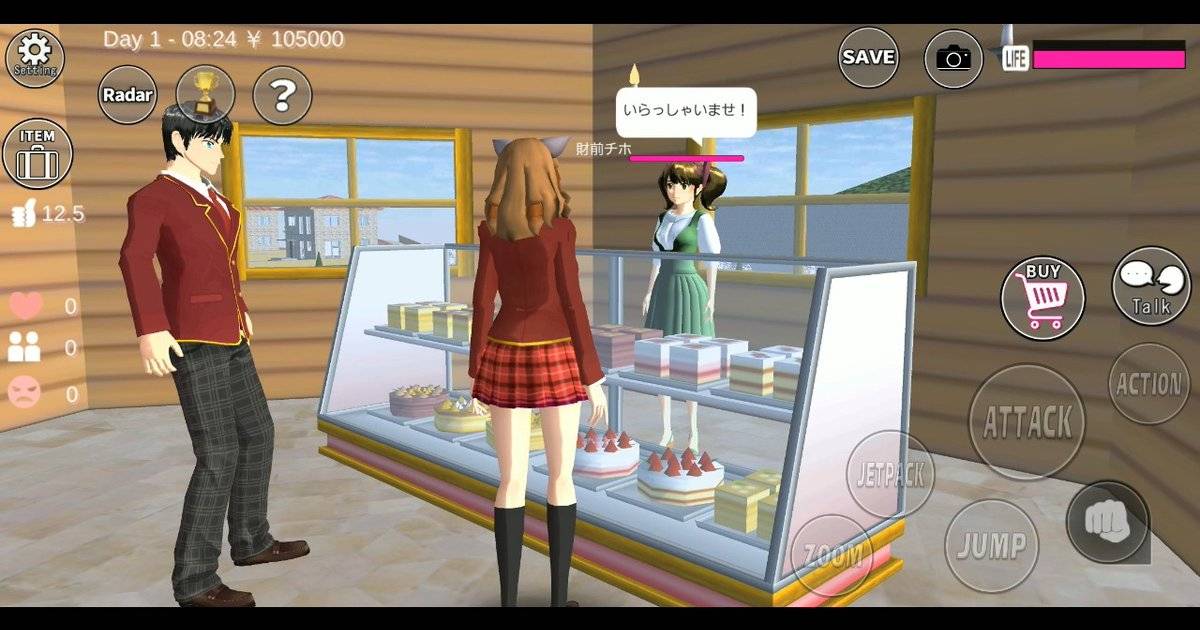
Leave the corner nearest the entrance relatively open. It gives you a place to position the camera and makes the bakery appear larger in photos. If you are staging a customer interaction, place one character behind the counter and one in front. You can switch and record the roles separately; this is a single-player simulation, not an online co-op setup.
Add the small details that sell the story
Once the room works, introduce three recognizable ideas: a menu-like board, a pickup corner and a decoration near the window. A sign does not need working text to read as a shop sign in a photo. Likewise, a shelf of ordinary objects can suggest packaged goods without promising that the player can buy them as real game items.
Avoid scattering dozens of objects around the floor. Empty space gives the eye somewhere to rest. The best before-and-after test is to take one screenshot with the large furniture only, then another after decorating. If the second image makes the counter harder to see, remove something.
Use the camera to hide a limited build
Shoot the storefront from a slight angle rather than straight on. The angle gives depth to a narrow room and lets the counter, display and seating occupy separate parts of the frame. For an interior picture, position the camera at a believable visitor height. Extremely high views expose the empty space behind decorative walls.
Lighting can change the mood just as much as furniture. If your game version offers adjustable sun positioning, compare a soft side-lit image with one where the light falls directly on the shopfront. You do not need to raise display distance to the maximum: a short interior scene rarely benefits from rendering distant town buildings.
Save and share only after the layout passes its checks
Before experimenting with more decorations, save the arrangement in a Props slot you can identify. Give yourself a simple naming or numbering convention in an outside note if the interface does not offer convenient labels. Then check the build after reloading, because a screenshot alone is not a substitute for a usable saved arrangement.
If you decide to share it, use the game’s built-in Props upload process and confirm the correct slot is selected. A locally saved bakery does not automatically become a public Props ID. Keep any sharing-account password private; readers need the design ID, not access to your account.
Frequently Asked Questions
Is this a real bakery location in Sakura Town?
No. It is a suggested original construction project using Props, not an official new location.
Do I need a Props ID first?
No. This project starts with your own layout. An ID is only relevant if you later share a saved design.
What if the game has no pastry display case?
Use a low table or shelf as a visual stand-in. Do not claim that a decorative object functions as a shop item.
Can I build it on a lower-end phone?
A smaller layout with fewer active objects is a sensible starting point, although performance varies by device.
Can I sell food to online visitors?
Not through a real-time multiplayer shop system. You can stage scenes with NPCs or your controllable characters.
Final Thoughts
A tiny bakery is a good reminder that creativity does not have to begin with somebody else’s code. Build the walkable space first, make the counter unmistakable and let the small details do the rest. The result can be more memorable than a sprawling shop with nothing happening inside.