There is a practical question behind every download before a long journey: will the game still work when the signal disappears? Super Bear Adventure is a tempting choice because its colorful worlds and collecting challenges can keep a player busy for hours. But “offline” on an app-store page does not mean every feature is available without a connection.
Earthkwak Games’ title is listed as both single-player and offline on Google Play. It also gained online multiplayer, cosmetic bundles and other features over time. These facts are not contradictory. They describe different ways of using the same game, and understanding the distinction helps you prepare before leaving Wi-Fi behind.
Highlights
- Google Play lists Super Bear Adventure as an offline-capable, single-player game.
- Basic installed solo gameplay should not be confused with online multiplayer sessions.
- Multiplayer invitations, online communication and related services require connectivity.
- Rewarded advertising and purchase checks can depend on network access or store services.
- Test your installed version in airplane mode before a trip rather than assuming every menu behaves identically.
Quick answer: Yes. Super Bear Adventure is advertised as offline-capable for solo play. That does not make its online multiplayer, ads or store-linked services available without an internet connection.
Table of Contents
- What the Google Play offline label actually means
- Why multiplayer changes the picture
- How ads and paid cosmetics differ from ordinary play
- A pre-travel checklist that takes five minutes
- What to do when the game will not start offline
- What parents should know before switching off data
- Frequently Asked Questions
What the Google Play offline label actually means
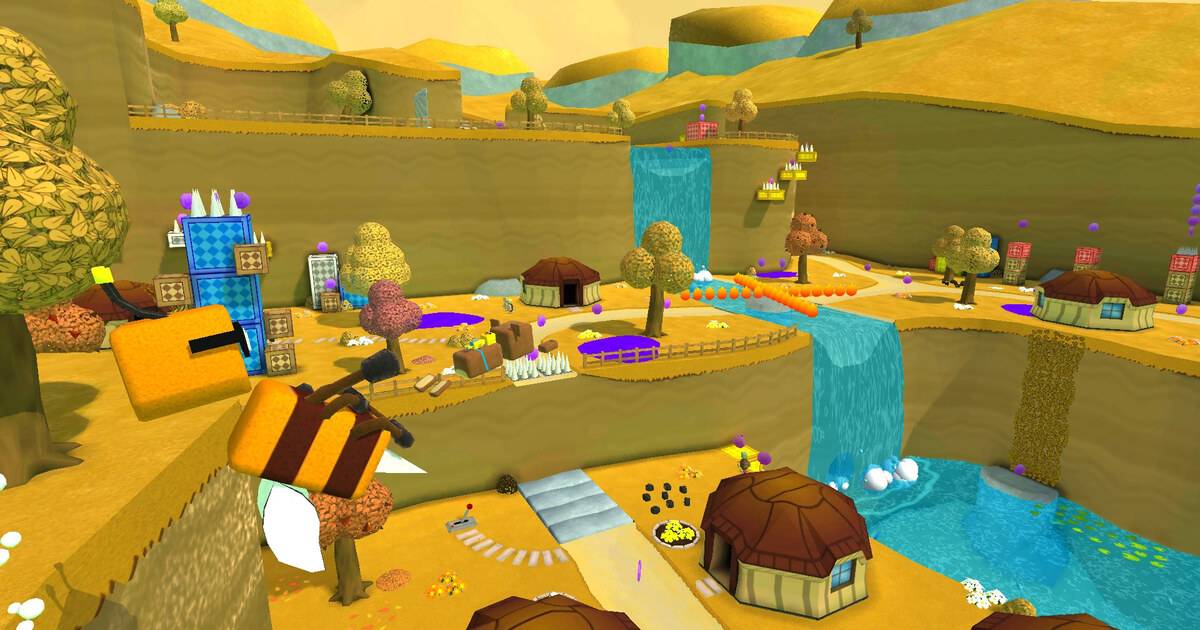
When a store categorizes an app as offline, it means the main experience can be used without continuous networking. For Super Bear Adventure, that aligns with its original single-player structure: explore levels, collect items and progress through a 3D platforming adventure. It does not guarantee every side menu, advertisement or account-related feature behaves exactly the same with no signal.
The distinction is especially important for phones with unstable mobile data. Losing connectivity during a solo exploration session is a different situation from losing it while joining a friend. The first is part of the game’s advertised offline use. The second involves an online service that cannot operate without exchanging information between players.
Why multiplayer changes the picture
Earthkwak introduced multiplayer in its 12.0 update. The official changelog describes cross-platform parties across Android, iOS and Nintendo Switch, as well as group voting for actions such as entering a level. A shared online session necessarily depends on players being able to connect to one another through the game’s supported networking features.
This does not create an offline split-screen mode. Two friends sitting next to each other with mobile data disabled should not assume their devices can discover a local session. The advertised solo offline label does not establish LAN or hotspot multiplayer support. Use the game’s actual multiplayer instructions when a network is available.
How ads and paid cosmetics differ from ordinary play
The Google Play listing discloses ads and in-app purchases. Ads that reward a player for viewing a video generally depend on an advertising service and the availability of an ad. Purchases and restoring entitlements may also involve a platform store. Those are separate systems from moving Baaren through a level.
If a reward button is unavailable offline, it does not automatically mean that your installed game is broken. Likewise, a purchased cosmetic not appearing should be investigated using the developer’s supported purchase and save systems, not by guessing that a temporary Wi-Fi failure erased a completed game. Avoid changing account data casually during troubleshooting.
A pre-travel checklist that takes five minutes
Open the game once while you have internet so the installation and any pending updates can finish. Enter your existing save and verify that a normal level loads. Return to the main menu, enable airplane mode and repeat a short solo session. Check whether the actions you care about most—movement, level entry and returning to the menu—work as expected.
Then re-enable connectivity and make sure the save still opens. This personal test is more reliable than a blanket promise that every device, edition and update uses exactly the same caching rules. Do not uninstall the app just because one optional online button refuses to respond without a network.
What to do when the game will not start offline
First distinguish a startup problem from a missing online feature. If the application itself closes, restart it and the device, confirm there is enough storage and check whether an update was interrupted. If the game opens but a multiplayer lobby is unavailable, that behavior is consistent with a network-dependent service. Fix the correct problem rather than treating every failure as the same bug.
If you use multiple save files, identify the correct one before changing anything. Earthkwak’s changelog documents past save-related fixes; that is a good reason to be conservative about deletion or reinstalling. Keep a record of the version and symptoms before contacting official support.
What parents should know before switching off data
Offline play can reduce some network-dependent activity, but it is not a substitute for checking the game’s content and settings. Google Play lists ads and in-app purchases, and some versions have online multiplayer. Families may prefer to test the solo mode first, review device-level purchase controls and talk through what online invitations mean.
Do not assume that cutting the connection permanently blocks all purchases or that every cosmetic becomes free offline. The useful takeaway is simpler: decide which features you want, verify them once and keep the phone’s permissions under your control.
Frequently Asked Questions
Is Super Bear Adventure an offline game?
Google Play lists it as offline-capable for single-player use.
Can two players connect without internet?
The official multiplayer feature is online; the offline label does not promise local LAN play.
Do rewarded ads work in airplane mode?
Do not count on them. Advertising inventory and reward verification can depend on a network.
Can I use existing saves offline?
Test your own installed version before travel. Avoid risky reinstallations when progress matters.
Does online multiplayer replace the solo story?
No. The game still has a single-player adventure alongside its later multiplayer features.
Final Thoughts
For commuting or travel, Super Bear Adventure is a reasonable offline pick as long as you want to explore on your own. Finish downloading updates while connected, check your save, and test a solo level with airplane mode enabled. Save the multiplayer invitations and store-dependent tasks for a time when the signal is stable.
Read also: Super Bear Adventure multiplayer: supported and locked features