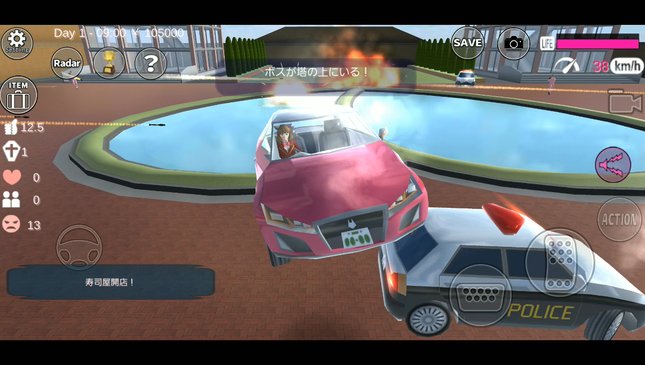
- Google Play requires Android 7.0 or newer; the App Store requires iOS 15.0 / iPadOS 15.0.
- Garusoft recommends over 3 GB RAM and Snapdragon 820 or better for smooth play.
- The iOS download is 370.3 MB and supports English and Japanese.
- Google Play lists the game as available on Android and Windows through Google Play Games.
- Official lag fixes: restart, decrease students and people, close other apps.
"Why does Sakura School Simulator lag on my phone?" is one of the most common questions about the game. The answer is written in the store listing itself, but it is easy to miss because it sits at the top of a long description labeled "CAUTIONS".
This guide collects the minimum and recommended requirements from Google Play and the App Store, as checked on November 2, 2026, plus the troubleshooting steps Garusoft gives players.
Quick answer: Sakura School Simulator runs on Android 7.0+ and iOS/iPadOS 15.0+, with a 370.3 MB iOS download. For smooth play, developer Garusoft recommends more than 3 GB of RAM and a Snapdragon 820 or better. It is also listed for Windows via Google Play Games.Official Requirements at a Glance
| Platform | Requirement | Source |
|---|---|---|
| Android (minimum) | Android 7.0 and up | Google Play |
| Android (recommended) | Over 3 GB RAM, Snapdragon 820 or better | Developer note in store description |
| iPhone / iPod touch | iOS 15.0 or later | App Store |
| iPad | iPadOS 15.0 or later | App Store |
| iOS download size | 370.3 MB | App Store |
| Languages (iOS) | English and Japanese | App Store |
| Windows PC | Listed via Google Play Games | Google Play |
The Android minimum only means the game will install. The recommended line is the one that decides whether it runs well.
Why the Game Lags on Some Phones
Garusoft's description is unusually honest. It says that if a device does not meet the recommended specification, "this game doesn't work smoothly", and that "becoming laggy", "shut down" and "low memory problem" will occur soon.
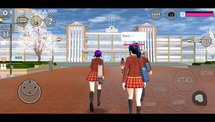
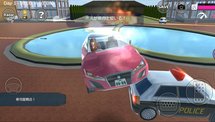
The reason is the game's design. Sakura town is an open world full of students, passersby, cars and buildings, all simulated at the same time. The developer notes that playing "uses a lot of CPU and GPU". The Snapdragon 820 it names was a flagship chip in 2016, so most mid-range phones sold in recent years are at or above that level, but cheaper phones with 2 GB of RAM are not.
The Developer's Own Lag Fixes
Instead of third-party "booster" apps, the store listing gives three official fixes:
- Restart the game or the device if lag or crashes start right after launching.
- Use the setting to decrease students and people. Fewer characters on screen means less work for the processor.
- Close other applications as much as possible before playing.
The October 31, 2026 update (1.048.18) added longer display distances of 500 m and 700 m for high-spec phones only. If your phone is near the minimum, leave display distance at the default.
Can You Play It on PC?
Yes. The Google Play page lists the game as available on Android and Windows, with the Windows link pointing to Google Play Games for PC. That is the official route to play on a computer, using the same Google account.
There is no separate Steam or Mac version from Garusoft. On a Mac, the App Store may offer iPad apps on Apple silicon machines, depending on the developer's settings.
Storage and Data Tips
- Keep at least 1 GB free beyond the download size, since updates and save data need extra space.
- Download over Wi-Fi: the iOS package alone is 370.3 MB.
- Install only from Google Play, the App Store or Google Play Games. Modified APKs can break saves and carry malware.
- The game contains ads; two of the four playable characters become available after watching ads, according to the description.
FAQ (Frequently Asked Questions)
Google Play lists Android 7.0 and up. Garusoft recommends more than 3 GB of RAM for smooth play, along with a Snapdragon 820 or better. iOS 15.0 or later on iPhone and iPod touch, and iPadOS 15.0 or later on iPad. The App Store lists 370.3 MB. Android size varies by device. The developer says low-spec devices may suffer lag, shutdowns and low memory problems. Restart the game or phone, decrease students and people in settings, and close other apps. Yes, Google Play lists it for Windows through Google Play Games.1. What is the minimum Android version for Sakura School Simulator?
2. How much RAM does Sakura School Simulator need?
3. What iOS version do I need?
4. How big is Sakura School Simulator?
5. Why does Sakura School Simulator keep closing?
6. Is there a PC version?
Conclusion
Sakura School Simulator installs on almost any phone from the last several years, but smooth play needs more: over 3 GB of RAM and a Snapdragon 820-class chip, according to Garusoft.
If the game struggles, the official fixes are simple and free: restart, lower the number of people in the world, and close background apps.
- Minimum: Android 7.0 or iOS/iPadOS 15.0.
- Recommended: 3 GB+ RAM and Snapdragon 820+.
- iOS size: 370.3 MB; languages: English and Japanese.
- Official PC route: Google Play Games for Windows.
- Lag fix: decrease students and people in settings.