Minecraft's Ice Caves look like the kind of place you would happily build a glass house in, right up until a Frostbite starts throwing ice at you. The underground biome is one of the headline features being tested for the final game drop of 2026. For Bedrock players, there is an important catch: a game update and a fully released feature are not the same thing.
Bedrock 26.60 arrived on October 27 with experimental access to winter features. That makes it possible to explore the concept early on supported builds, but the sensible way to do it is with a disposable world. Here is how to try the feature, what to bring, and which details should not be mistaken for the final release.
Highlights
- Ice Caves and Frostbites are experimental in Bedrock 26.60, not part of every ordinary world.
- The new biome generates beneath cold Overworld regions and contains Packed Ice, Calcite, Icicles and Ice Crystals.
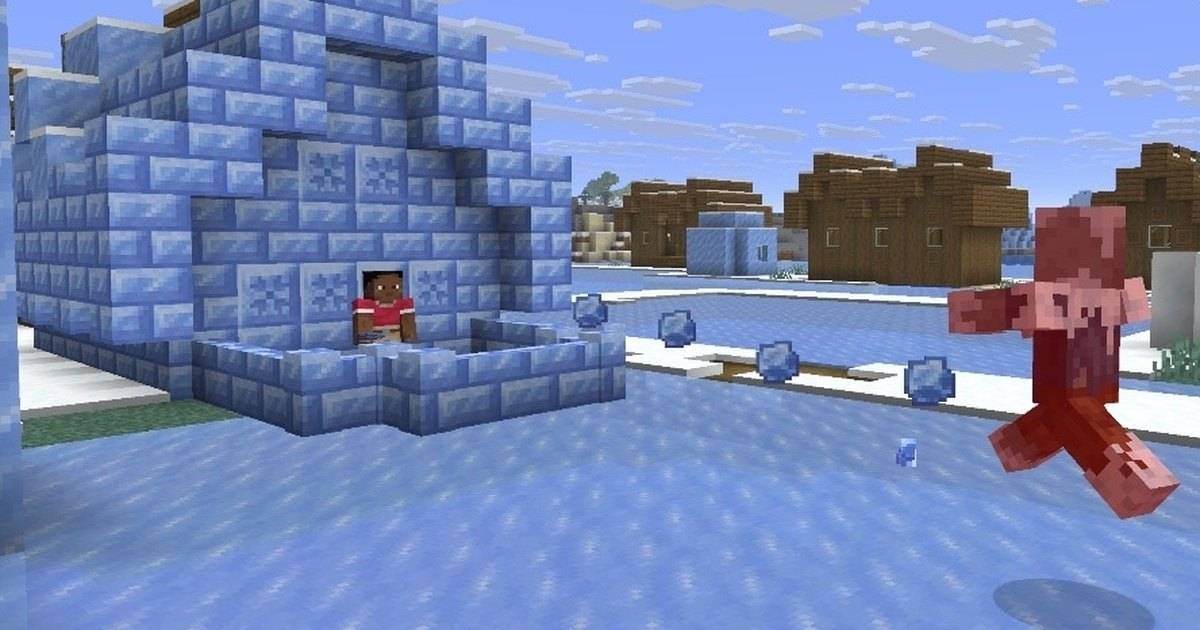
- Frostbites throw Ice Balls and can inflict Freezing in close combat.
- Testing in a separate world is safer than turning experimental options on in a cherished survival save.
Quick answer: Update Bedrock to a version with the winter experiment, create a fresh test world, enable the relevant experimental game-drop setting if offered, and explore underground in cold regions. Do not assume that installing 26.60 alone adds Ice Caves to ordinary survival worlds.
Table of Contents
- Is the Ice Cave already in Minecraft Bedrock 26.60?
- Create a separate test world before switching on experiments
- Where to search for Ice Caves
- Icicles and Ice Crystals are not just decoration
- How Frostbites fight and why leather helps
- A 20-minute Ice Cave field test
- Common mistakes worth avoiding
- Frequently Asked Questions
- Final Thoughts
Is the Ice Cave already in Minecraft Bedrock 26.60?
The short answer is yes, as an experiment. Mojang's 26.60 notes put the Ice Cave beneath its experimental game-drop heading. That matters more than the splash screen or update number: an experimental setting may need to be enabled for the world, and a normal world with experiments disabled is not guaranteed to generate the biome.
Mojang also makes a distinction between a regular Bedrock update and Preview or Beta builds. Preview is offered on supported Xbox, PlayStation, Windows and iOS platforms; Android has a Beta program through Google Play. Menus, availability and the names of experiment toggles can vary as development continues. Check what your own device actually offers rather than following a screenshot from an unrelated platform.
The safest assumption is that this is test content. You can enjoy it now without telling friends the 2026 winter game drop has officially launched. Until Mojang calls the drop stable, specific behavior, world-generation details and balancing may change.
Create a separate test world before switching on experiments
Start by updating Minecraft through its legitimate platform store or launcher. From the world-creation screen, look for the Experiments area and the option associated with the upcoming game drop. Enable it only if that option is present, read the warning, then create a new world with a name you will recognize later. Do not overwrite your regular survival world or a Realm where friends store valuable builds.
Consider starting in Creative or with keep-inventory settings for your first survey. The purpose of this run is to discover what the new features do, not to prove you can survive a blind expedition with two pieces of bread. Once you understand the terrain, repeat the experiment in Survival. Store screenshots of the selected world settings: they make later troubleshooting far easier.
If the toggle is missing, first check your game version, whether you are in a supported Preview or Beta where necessary, and whether the platform rollout has reached you. Do not download a random APK advertising hidden winter features. An unofficial installation adds security risk and does not make the feature more authentic.
Where to search for Ice Caves
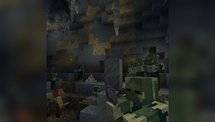
According to the experimental notes, Ice Caves appear underground beneath low-temperature Overworld biomes. Their landscape is dominated by Packed Ice and Calcite. Large icicles rise from floors or hang from ceilings, while smaller icicles and scattered Ice Crystals add shape to the passages. The biome is not simply a snowy version of a familiar lush cave.
Choose a cold surface area, identify a safe descent and explore carefully. Bring blocks for bridging, food, torches, a pickaxe and a clear route back to the surface. Mark your way with recognizable patterns rather than randomly scattering lights through every tunnel. The cave may have steep drops, unfamiliar hazards and existing hostile mobs in addition to the new Frostbite.
If your test world generates no Ice Caves, that does not automatically prove the update failed. World generation is probabilistic, you may be in unsuitable terrain, or the experiment may not be enabled for this world. Create another experimental seed before making claims about a bug.
Icicles and Ice Crystals are not just decoration
One of the most interesting differences is how the two ice features affect exploration. Ice Crystals are a natural light source in the experimental caves and grow on Packed Ice. Their glowing appearance can make a dark chamber seem much safer than it is. The official notes also describe them as support-dependent blocks, so dismantling the foundation can remove the crystal.
Icicles deserve even more respect. The experimental rules describe hanging formations that can drop under sufficiently bright conditions, damaging anything beneath them. That creates a counterintuitive risk: adding light near a ceiling hazard might change the situation rather than simply making a cave safe. Do not treat a glowing ceiling as ordinary decoration before checking for loose formations.
A cautious route keeps you out of the path of long hanging icicles. Examine ceilings before building beneath them, and make temporary safety areas under solid blocks. The final rules may shift, so avoid calling any single lighting trick a permanent exploit.
How Frostbites fight and why leather helps
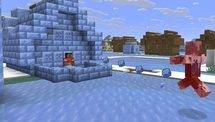
Frostbites are zombie-like enemies adapted to cold regions. They can throw Ice Balls at range and switch to melee attacks that apply Freezing. Freezing is not the same as the ordinary slow movement you feel on ice: experimental notes describe shaking, reduced jump height and eventual damage. Being caught in a narrow shaft while your jumps weaken is a much worse position than fighting in an open chamber.
Keep a shield and an exit path ready. Use cover between ranged exchanges, then create space when a Frostbite closes in. Leather armor is relevant because Minecraft's freezing mechanics interact with leather equipment. But the notes distinguish avoiding freeze buildup from removing the new effect itself; do not promise a leather chestplate automatically cures every effect after a hit.
If your game behaves differently from an older Preview video, consult the specific release notes for the build in your hands. Later snapshots have already adjusted some cold-mob interactions. That is precisely why testing should be documented by version.
A 20-minute Ice Cave field test
Spend the first five minutes checking that the correct experiment is active and writing down the version. Use the next five to find and photograph the biome without touching every new block. During minutes ten to fifteen, observe an Ice Crystal and an Icicle from a safe distance, then note how they react to nearby changes. Save your last five minutes for a controlled encounter with a Frostbite, if one appears naturally.
Write down which observations were direct and which came from patch notes. A short log — version, world seed, platform, experimental toggles, location, and what actually happened — makes a far better guide for friends than a viral clip with no context. It also makes it easier to report a legitimate bug without confusing it with intentional experimental behavior.
Common mistakes worth avoiding
The first mistake is assuming the winter features appear automatically in every existing save. The second is using an older Java snapshot guide as though its menus were identical to Bedrock on an Android phone. The third is turning a test world into a permanent family survival server before knowing whether future experimental updates will alter its terrain or blocks.
There is also a content-creator trap: calling a provisional mechanic a final feature. Phrase your video titles and posts accurately. "Bedrock 26.60 experimental Ice Cave" is specific; "Minecraft officially released the entire winter update" is not supported by those notes.
Frequently Asked Questions
Can Ice Caves generate in normal Minecraft 26.60 survival worlds?
They are listed as experimental, so a normal world without the relevant experiment enabled should not be assumed to generate them.
Where can I find Frostbites?
Experimental notes place them in cold and icy areas, including the new Ice Cave biome. Actual spawns depend on the version and normal spawning conditions.
Is Minecraft Preview the same as stable Bedrock?
No. Preview and Beta provide work-in-progress testing access. Regular Bedrock releases can also expose experimental features, but that is different from a finished game drop.
Will turning on experiments delete my main world?
That is not a normal promised outcome, but experimental settings can affect compatibility and future saves. Make a separate world and preserve backups instead of taking chances.
Can I use Ice Crystals for lighting builds?
The experiment describes them as luminous blocks. Test their placement and support requirements in your specific build before using them in a permanent design.
Final Thoughts
Ice Caves are an intriguing addition because they change how you move through a cave, not just what the cave looks like. Between hanging icicles, unfamiliar light sources and freezing enemies, careful exploration has a genuine payoff. For now, the best advice is simple: label the experiment correctly, protect your main world and have fun discovering what survives the path to the final release.
Sources and version notes
Official references used to verify gameplay facts. Player-created build plans and troubleshooting checklists are editorial recommendations, not developer-prescribed missions.