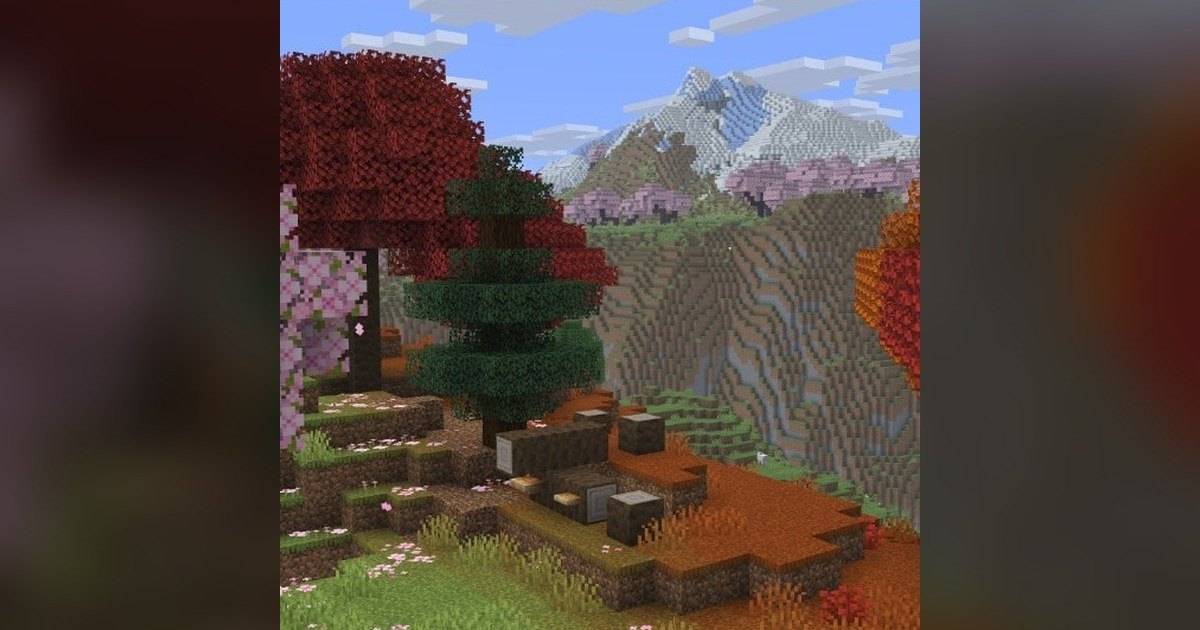
- Since 26.4 Snapshot 1 (September 22, 2026), red and brown mushrooms can be placed on any block with a solid top face.
- The light requirement for placing mushrooms is gone, matching Bedrock Edition.
- Mushrooms still only spread when brightness is below 13.
- Snapshot 4 added support for thin blocks that offer center support.
- Bugs with excess swamp mushrooms, wrong spreading, and mushrooms floating on walls have been fixed.
Minecraft Java players can finally place mushrooms anywhere for decoration without hunting for a dark spot. The change arrived through the 26.4 snapshot series and brings Java in line with Bedrock Edition.
Mushrooms in Java used to follow strict light rules. Players who wanted to decorate gardens, hobbit holes, or forest-themed builds had to lower the light first or use special blocks.
This article sums up the new placement rules and related fixes from Mojang's official release notes for 26.4 Snapshot 1 through Snapshot 6. Snapshot features can still change before 26.4 officially releases.
Quick answer: Since Minecraft Java 26.4 Snapshot 1, red and brown mushrooms can be placed on any block with a solid top face regardless of light level. They still only spread when brightness is below 13, unless the support block overrides light requirements. Later snapshots added thin-block support and fixed bugs with swamp mushrooms and mushrooms floating on walls.What Changed for Mushrooms in Minecraft 26.4?
Mojang's release notes for 26.4 Snapshot 1, published September 22, 2026, state that red and brown mushrooms can now be placed on any block with a solid top face regardless of lighting conditions.
The same snapshot resolved bug report MC-311773, which pointed out that Java mushrooms could not be placed at any light level, unlike in Bedrock Edition. With this change the two editions now follow similar placement rules.
One limit remains. Mushrooms can only spread on their own when brightness is below 13, or when their support block overrides light requirements. Mushrooms in bright areas stay put instead of taking over the floor.
| Rule | Before 26.4 | Since 26.4 Snapshot 1 |
|---|---|---|
| Placing in bright light | Not on regular blocks | Yes, on any solid top face |
| Placing in the dark | Yes | Yes |
| Spreading | Only when dark enough | Still only below brightness 13 |
| Parity with Bedrock | Different | Closer |
Source: Mojang's official Minecraft Java 26.4 Snapshot 1 release notes.
Mushroom Fixes From Snapshot 2 to 6
The new rule introduced a few side effects that Mojang fixed one by one in later snapshots. The list below shows bug titles from the fixed-bugs sections of the release notes.
| Snapshot | Bug fixed |
|---|---|
| Snapshot 1 | Mushrooms could not be placed at any light level, unlike in Bedrock |
| Snapshot 2 | Mushrooms generated in excessive quantities in swamps |
| Snapshot 4 | Mushrooms could not be placed on thin blocks that provide central support, unlike in Bedrock |
| Snapshot 5 | Red and brown mushrooms spread incorrectly |
| Snapshot 6 | Mushrooms visually floated on top of walls with the up property set to false |
Source: Fixed bugs sections of the 26.4 Snapshot 1, 2, 4, 5, and 6 release notes.
The Snapshot 4 fix means mushrooms can now sit on thin blocks that provide support in the middle, as in Bedrock. That opens up more decoration options on fences and walls.
Decoration Ideas With the New Rules
Forest-themed gardens get much easier. Scatter red and brown mushrooms among grass and flowers without shading them from the sun.
Hobbit and fairy houses come alive too. Mushrooms can go on roofs, beside doors, or on top of garden walls as accents.
Bright indoor markets and kitchens can display mushrooms on tables and shelves as ingredients. Because mushrooms do not spread in bright light, the decor stays tidy.
How to Try It and When It Releases
The feature is only in Java Edition snapshots for now. To try it, open the Minecraft Launcher, enable snapshots in the installations tab, and create a new installation with the latest snapshot. At the time of writing, the newest is 26.4 Snapshot 8, released November 10, 2026.
Always use a backup or a fresh world. Snapshots can corrupt worlds, and a world opened in a snapshot may not load in the stable version again.
Mojang has not announced a release date for Minecraft 26.4. The usual sign that release is close is a Pre-Release, and none had appeared as of mid-November 2026.
FAQ (Frequently Asked Questions)
Yes, starting with Java 26.4 Snapshot 1, as long as the block below has a solid top face. No. They still only spread when brightness is below 13 or the support block overrides light requirements. Bedrock already allowed mushrooms at any light level. The 26.4 change brings Java in line with Bedrock. Not announced yet. The latest snapshot as of November 10, 2026 is Snapshot 8, and no Pre-Release has appeared. Snapshot 4 fixed support for thin blocks with central support, so Bedrock-style placement now works.1. Can Minecraft mushrooms be placed in bright light now?
2. Will mushrooms spread in bright light?
3. Is this also in Bedrock?
4. When does Minecraft 26.4 release?
5. Can mushrooms go on fences or walls?
Conclusion
Minecraft 26.4 makes mushrooms far friendlier for decorating. Red and brown mushrooms can go on any solid block regardless of light, yet they still will not spread in bright areas.
The change is still in snapshots. Wait for the official 26.4 release if you do not want to risk your main world.
- Since 26.4 Snapshot 1, mushrooms can be placed on any solid top face.
- The light requirement for placement is gone, matching Bedrock.
- Mushrooms still only spread below brightness 13.
- Snapshots 2 to 6 fixed swamp, thin-block, spreading, and floating bugs.
- Mojang has not announced a 26.4 release date.