- Since 26.4 Snapshot 1 (September 22, 2026), the Default Graphics API option behaves the same as Prefer Vulkan.
- The game no longer changes the graphics setting automatically after a startup crash.
- The requirement Mojang listed in 26.2: Vulkan 1.2 with dynamic rendering and push descriptors.
- Hardware without Vulkan support falls back to OpenGL.
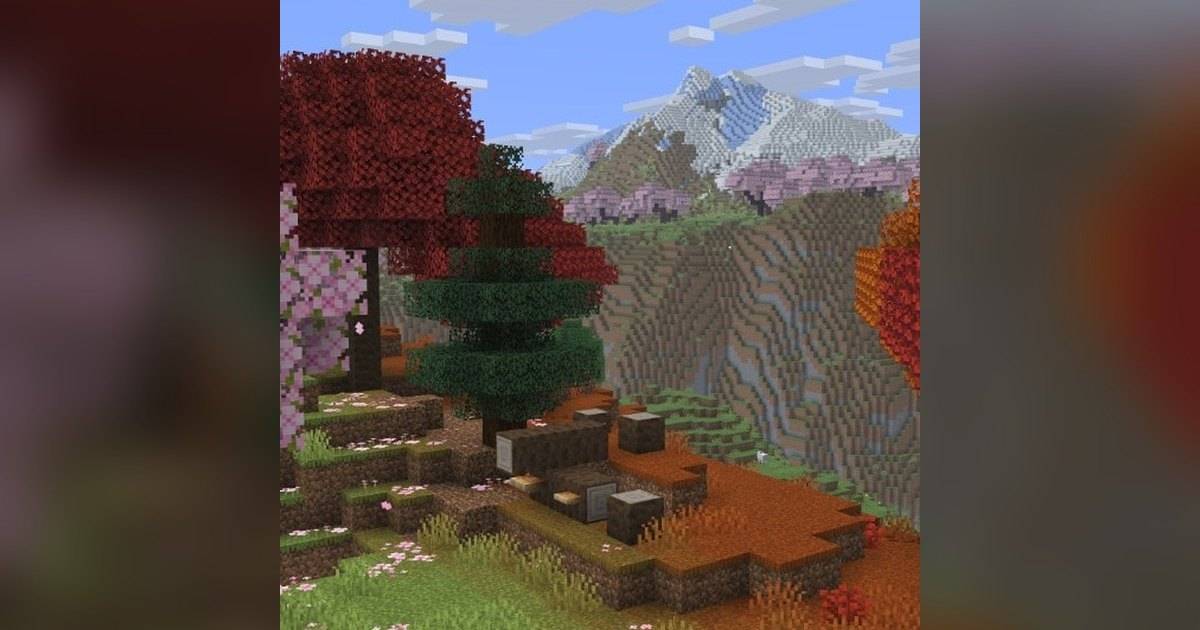
- Mojang calls Vulkan a major step toward bringing Vibrant Visuals to Java Edition.
Minecraft Java Edition is switching graphics engines. In the 26.4 snapshots, Mojang made Vulkan the default choice, replacing the long-standing OpenGL.
The change is recorded in the official patch notes for Minecraft 26.4 Snapshot 1, released September 22, 2026. Most players may not notice it. Owners of older PCs and laptops, however, should know how to handle it, because the fallback behavior after a crash has changed too.
Industry.co.id sums up the Vulkan testing timeline since April 2026 from Mojang's release notes, the stated hardware requirements, and what to do if the game will not start.
Quick answer: In Minecraft Java 26.4 Snapshot 1 (September 22, 2026), the Default Graphics API option now equals Prefer Vulkan, and the game no longer switches settings automatically after a startup crash. Hardware without Vulkan support still falls back to OpenGL. If the game crashes, set preferredGraphicsBackend to opengl in the options.txt file.What Is Vulkan and Why Is Minecraft Switching?
Vulkan is a graphics API, the interface a game uses to talk to the graphics card. Minecraft Java has used OpenGL until now. In the 26.2 patch notes, Mojang wrote that it intends to switch the game from OpenGL to Vulkan.
The bigger reason appears in the 26.2 Snapshot 1 notes from April 7, 2026. Mojang describes Vulkan support as a major step toward bringing Vibrant Visuals, a richer graphics look, to Java Edition.
There is also a technical change laptop users may notice. According to the 26.2 notes, under Vulkan the game prefers a dedicated graphics card over integrated graphics, which differs from OpenGL. On macOS, Mojang uses MoltenVK to translate Vulkan to Metal.
The Vulkan Testing Timeline Since April 2026
Vulkan did not become the default right away. Mojang briefly went back to OpenGL before making Vulkan the main choice again in 26.4. The table below shows the stages.
| Version | Date | Vulkan status |
|---|---|---|
| 26.2 Snapshot 1 | April 7, 2026 | Vulkan support enters testing, default uses Vulkan if supported |
| 26.2 Snapshot 8 | May 19, 2026 | OpenGL becomes default again, Vulkan marked Experimental |
| 26.2 (release) | June 16, 2026 | Graphics API option: Default, Prefer Vulkan (Experimental), Prefer OpenGL |
| 26.4 Snapshot 1 | September 22, 2026 | Default behaves the same as Prefer Vulkan |
| 26.4 Snapshot 3 | October 6, 2026 | Fixed frame rate capped at 20 fps on some systems |
| 26.4 Snapshot 7 | November 3, 2026 | Fixed the game picking a software GPU when the GPU lacks Vulkan support |
Table source: official Minecraft Java Edition patch notes from Mojang.
Hardware Requirements and the OpenGL Fallback
In the 26.2 release, Mojang listed the current requirement as Vulkan 1.2 with dynamic rendering and push descriptors. Mojang also wrote that this requirement may increase or decrease over time, so it is not necessarily final.
Older hardware or drivers without Vulkan support are not simply left behind. Mojang states that OpenGL will be used as a fallback in those cases. You can check which backend is active in the F3 debug overlay, under the system_specs section.
One bug relevant to older laptops was fixed in Snapshot 7. Before that, the game could prefer the llvmpipe software GPU with Vulkan, even though the real GPU without Vulkan support could still run OpenGL. The fix helps older machines keep using their own graphics card.
Game Crashing After the Update? How to Go Back to OpenGL
In 26.2, the game had an automatic fallback. If it crashed at startup with certain settings, it changed the setting itself, for example from Default to Prefer OpenGL. In 26.4 Snapshot 1, Mojang wrote that the game will no longer change the graphics API setting automatically if a startup crash is detected.
That means if your game crashes, you need to change the setting manually. If the game still opens, go to Video Settings and choose Prefer OpenGL under Graphics API. If it crashes before the menu appears, open the options.txt file in your Minecraft folder.
Find the preferredGraphicsBackend line and change its value to opengl. Mojang gave this as a workaround in the 26.2 Pre-Release 1 notes for systems without Vulkan. Save the file and launch the game again.
Does It Affect Minecraft Bedrock and Mobile?
This change is recorded in the Java Edition patch notes, the version of Minecraft for PCs running Windows, macOS and Linux. Those notes do not cover Minecraft Bedrock on phones, consoles or Windows, so Bedrock players do not need to change anything because of it.
Keep in mind that 26.4 is still a snapshot, a test version. Players on the stable release in the launcher will not get this change until the final version ships. Mojang called Snapshot 7 the final gameplay features for the upcoming game drop, but the notes do not give a final release date.
If you want to try it early, enable snapshots in the Minecraft Launcher and use a separate copy of your world. Snapshots can corrupt worlds, so do not use your main one.
FAQ (Frequently Asked Questions)
In 26.4 Snapshot 1 (September 22, 2026), the Default option now equals Prefer Vulkan. The change is still in snapshots and not yet in a stable release. According to the 26.2 release notes, Vulkan 1.2 with dynamic rendering and push descriptors. Mojang says the requirement may change. Mojang states that OpenGL is used as a fallback on hardware or drivers that do not support Vulkan. Choose Prefer OpenGL in Video Settings. If the game will not open, set preferredGraphicsBackend to opengl in options.txt. No. This change is in the Java Edition patch notes for PC, not Bedrock.1. Does Minecraft Java use Vulkan now?
2. What are the Vulkan requirements for Minecraft Java?
3. What if my PC does not support Vulkan?
4. Minecraft crashes after the update. What should I do?
5. Does Minecraft Bedrock on mobile change too?
Conclusion
The move to Vulkan is the biggest technical change in Minecraft Java this year and lays the groundwork for Vibrant Visuals. In 26.4, Vulkan officially becomes the default, while OpenGL remains as a fallback.
For owners of older PCs, the key is knowing how to return to OpenGL. Since the game no longer switches settings on its own after a crash, keep the options.txt fix above handy before the final 26.4 release.
- Default equals Prefer Vulkan since 26.4 Snapshot 1.
- Mojang's stated requirement is Vulkan 1.2, and it may change.
- OpenGL remains the fallback for older hardware.
- If the game crashes, set preferredGraphicsBackend to opengl in options.txt.
- This change is Java Edition only, not Bedrock.