- Minecraft 26.4 adds Jukebox Playlists, first released in 26.4 Snapshot 4 on October 13, 2026.
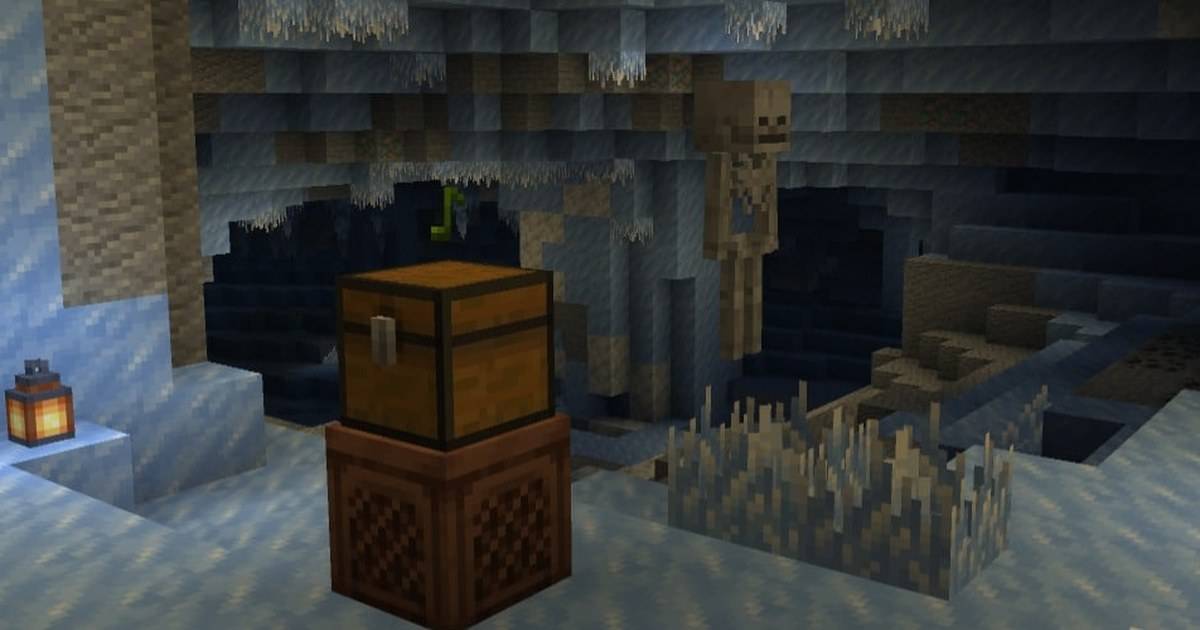
- Place a Chest, Trapped Chest or any Copper Chest directly on top of a Jukebox to use it as a playlist.
- Discs play in slot order, skip empty slots and non-disc items, then loop back to the start.
- Ejecting the current disc skips to the next one.
- No redstone, hoppers or mods are needed.
Playing music in Minecraft used to mean walking back to the Jukebox after every song. The 26.4 game drop fixes that with Jukebox Playlists: put your discs in a chest above the Jukebox and it plays them one after another.
Mojang added the feature in Java Edition 26.4 Snapshot 4, released on October 13, 2026, alongside Brittle Ice. Before this, players needed hopper and redstone contraptions to change discs automatically.
This guide explains how to build a playlist, how the order works, and a few simple setups for parties, bases and servers. It is based on Mojang's official snapshot patch notes, so details may still change before the full release.
Quick answer: To make a Jukebox playlist in Minecraft 26.4, place a single Chest, Trapped Chest or Copper Chest directly on top of a Jukebox and fill it with Music Discs. The Jukebox plays the discs in slot order, skips empty slots, swaps to the next disc when a song ends and loops back to the first disc.What Are Jukebox Playlists?
Jukebox Playlists are a new way for a Jukebox to play several Music Discs automatically. Instead of holding one disc, the Jukebox reads the discs stored in a chest placed directly above it and plays them in turn.
According to Mojang's patch notes, when a disc finishes, the Jukebox swaps it with the next disc in the chest. If the chest has no Music Discs at all, the disc already inside the Jukebox simply plays again.
The feature works with a single Chest, a Trapped Chest or any Copper Chest variant. That means you can match the chest to your build, from a plain wooden party room to an oxidized copper music hall.
How to Set Up a Jukebox Playlist
The setup takes less than a minute once you have a few discs.
- Place a Jukebox where you want the music.
- Put a single Chest, Trapped Chest or Copper Chest directly on top of it.
- Open the chest and place your Music Discs in the slots, in the order you want to hear them.
- Start the playlist by inserting a disc into the Jukebox.
- When a song ends, the Jukebox swaps in the next disc from the chest automatically.
- To skip a song, eject the current disc and the Jukebox moves to the next available one.
Keep the chest single. The patch notes specify a single chest, so a double chest is not part of the documented setup.
How the Playlist Order Works
The rules are simple but worth knowing before you fill the chest.
| Situation | What the Jukebox does |
|---|---|
| Discs in several slots | Plays them in slot order |
| Empty slot | Skips it |
| Non-disc item in a slot | Skips it |
| Last disc finishes | Loops back to the first disc |
| Chest has no discs | Replays the disc already in the Jukebox |
| You eject the current disc | Skips to the next available disc |
Source: Mojang, Minecraft Java Edition 26.4 Snapshot 4 patch notes.
Because non-disc items are skipped, you can keep a few torches or blocks in the same chest without breaking the playlist. For a clean setup, though, it is easier to keep only discs inside.
Three Easy Playlist Builds
Party room. Hide the Jukebox under a stage and place a decorative Copper Chest on top as a DJ booth. Fill it with upbeat discs and let the loop run all night on a server.
Base soundtrack. Put a Jukebox and chest in your main hall with calm discs. Because the playlist loops, the base always has music without any redstone clock.
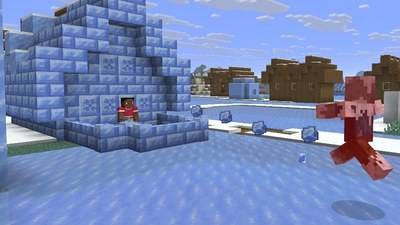
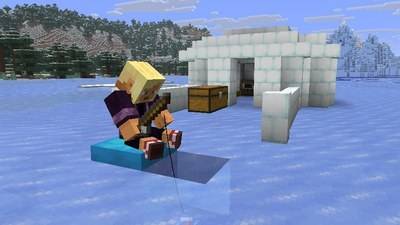
Themed rooms. Build one Jukebox and chest per room, each with a different set of discs. A winter room could use the new "Flurry" disc by Hyper Potions, which Snapshot 7 added as a rare find in Igloo basement chests.
When Can You Use Jukebox Playlists?
Right now, Jukebox Playlists are available in Java Edition snapshots for the 26.4 game drop. To try them, enable snapshots in the Minecraft Launcher and create a new test world. Do not open your main survival world in a snapshot, because snapshots can corrupt worlds.
Mojang said Snapshot 7 contained the final gameplay features for this drop, and Snapshot 8 followed with fixes. A release date for 26.4 has not been announced yet.
FAQ (Frequently Asked Questions)
Place a single Chest, Trapped Chest or Copper Chest directly on top of a Jukebox and fill it with Music Discs. The Jukebox plays them in slot order. Jukebox Playlists are part of the Java Edition 26.4 game drop and first appeared in 26.4 Snapshot 4 on October 13, 2026. Yes. After the last disc, it loops back to the first disc in the chest. Eject the current disc from the Jukebox and it skips to the next available disc in the chest. No. The chest on top of the Jukebox is enough.1. How do you make a playlist in a Minecraft Jukebox?
2. Which Minecraft version adds Jukebox Playlists?
3. Does the Jukebox playlist loop?
4. How do you skip a song?
5. Do I need hoppers or redstone?
Conclusion
Jukebox Playlists are one of the smallest additions in Minecraft 26.4, but also one of the most useful. A chest on top of a Jukebox now does what used to need a hopper and redstone build.
Fill the chest in the order you like, eject to skip, and let the loop handle the rest.
- Put a single chest directly on top of a Jukebox.
- Works with Chest, Trapped Chest and Copper Chests.
- Discs play in slot order and loop.
- Eject to skip a song.
- Added in 26.4 Snapshot 4 (October 13, 2026).