
- Garusoft recommends over 3GB RAM and over Snapdragon 820 for smooth play.
- Below that, the developer warns of lag, shutdowns and low memory errors.
- The official fix: restart the game or device and turn on "decrease students and people".
- Close other apps, because the game uses a lot of CPU and GPU.
- The 500m and 700m view distance from 1.048.18 is for high-spec devices only and uses more battery.
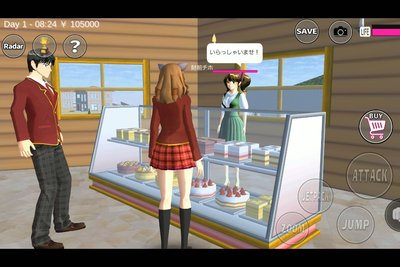
Sakura School Simulator looks simple, but it fills a whole town with students, teachers, cars and shops. On older phones that often means stutter, crashes or a frozen loading screen.
The developer, Garusoft, addresses this directly at the top of the game's Google Play page. This guide collects those official instructions, plus the settings added in recent updates.
Quick answer: To fix lag in Sakura School Simulator, Garusoft says to restart the game or device, enable "decrease students and people" in the settings and close other apps. Smooth play needs more than 3GB of RAM and a chip above Snapdragon 820. Keep the view distance at its default, because the 500m and 700m options are for high-spec devices.Garusoft's Recommended Specs
Under "CAUTIONS" on the Play Store page, Garusoft lists the recommended environment for smooth play: over 3GB of RAM and a processor above Snapdragon 820. The developer is blunt: if your device is below this, the game "doesn't work smoothly", and becoming laggy, shutting down and low memory problems will occur soon.
| Item | Garusoft recommendation |
|---|---|
| RAM | Over 3GB |
| Processor | Over Snapdragon 820 |
| Background apps | Close as many as you can |
| If lag starts right away | Restart the game or device; enable "decrease students and people" |
The Official Fix, Step by Step
- Restart the game. If lag or crashes return soon after starting, restart the whole device.
- Open the game settings and turn on "decrease students and people". Fewer NPCs means less work for the CPU and GPU.
- Close other applications. Garusoft notes the game "uses a lot of CPU and GPU".
- Read the in-game HELP section, which the developer points to for other questions.
View Distance and the Sun: Settings to Leave Alone
Version 1.048.18 added a "Sun" option under Weather in Game Setting and longer view distances. According to the update notes, the 500m and 700m view distance can only be set on high-spec devices, and battery usage will increase.
If your phone is close to the minimum, leave view distance at its default. Longer distances draw more of the town at once, which is exactly what triggers lag on mid-range phones.
Heavy Scenes That Cause Lag
Lag is worst when many objects are on screen at once: crowded areas, many placed props and long chases. Practical habits that follow Garusoft's advice:
- Keep scenes built with props small, especially before recording video.
- Avoid stacking extra effects, such as long view distance, during busy scenes.
- Save often with the SAVE button, so a crash does not cost progress.
- Keep your phone cool and charged, since heat throttles the processor.
Still Lagging?
If the game still stutters after these steps, your device is probably below the recommended specs. On Android, check that the game is updated to the latest version, since recent releases like 1.048.19 fix specific display bugs. You can also check our full requirements guide for Android, iPhone and PC.
FAQ (Frequently Asked Questions)
The game uses a lot of CPU and GPU. Garusoft says devices below 3GB of RAM and a Snapdragon 820-class chip will lag, shut down or run out of memory. It reduces the number of NPCs in the town, which lowers the load on your phone. Garusoft lists it as an effective fix for lag. Garusoft recommends more than 3GB of RAM for smooth play. Yes. Since 1.048.18, 500m and 700m view distance are available only on high-spec devices and increase battery use. On low-spec devices, Garusoft warns that shutdowns and low memory problems will occur. Restart the device, close other apps and enable "decrease students and people".1. Why is Sakura School Simulator so laggy?
2. What does "decrease students and people" do?
3. How much RAM does Sakura School Simulator need?
4. Does view distance affect lag?
5. Why does Sakura School Simulator close by itself?
- Recommended: over 3GB RAM and over Snapdragon 820.
- Turn on "decrease students and people".
- Restart and close other apps.
- Keep view distance at default on mid-range phones.
- Save often to avoid losing progress after a crash.