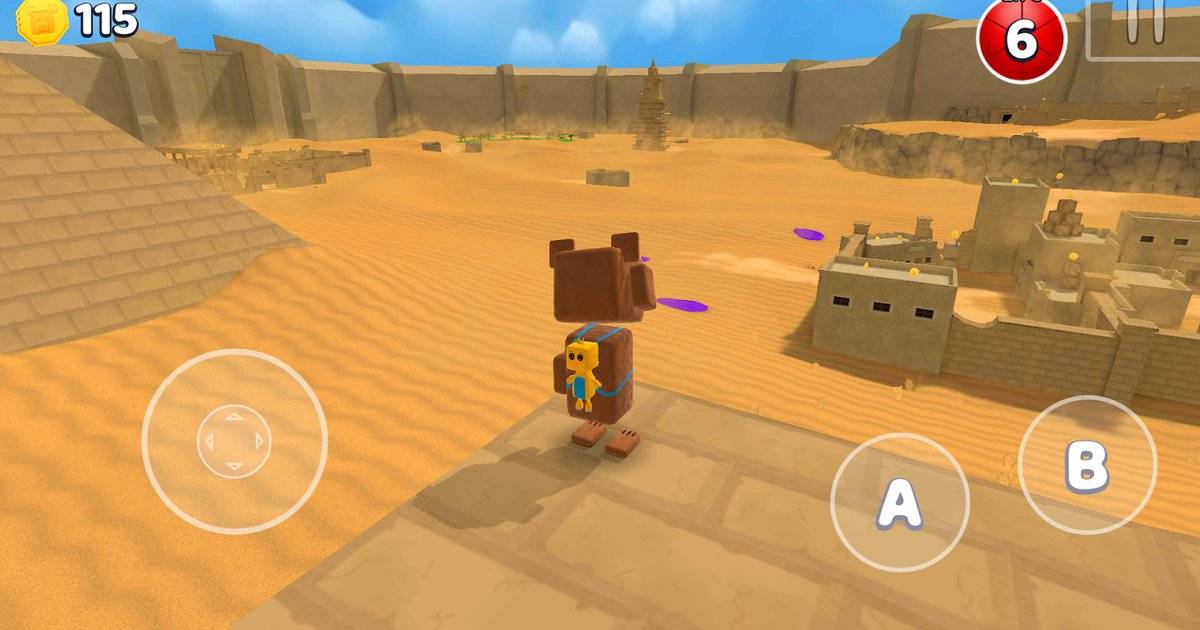
A good platforming game can make one missed jump feel like the end of the world. In Super Bear Adventure, the difference between a clean climb and an embarrassing fall is often not reaction speed alone. Camera angle, approach direction and the decision to grab a ledge all matter.
Earthkwak Games expanded Baaren’s movement set in the 12.0 multiplayer update. Its changelog explicitly mentions running up or sliding down a wall while airborne, plus moving left and right while holding a ledge. This guide turns those features into a practical training session without inventing a new cheat input or promising a skip that only works in one old build.
Highlights
- Update 12.0 added wall running and sideways movement while grabbing a ledge.
- The wall-run description says to move toward a wall while in the air.
- Camera control is as important as the jump button when judging a landing.
- Short practice sessions help separate mistakes in timing from mistakes in direction.
- Old videos may show movement or collision behavior changed by later patches.
Quick answer: To practice wall running, approach a suitable wall while airborne and move toward it. To practice a ledge grab, aim for a reachable edge and use the ability to shift left or right before climbing or releasing. Choose a low-risk area first.
Table of Contents
- What changed when wall running arrived
- Drill one: practice the approach without rushing
- Drill two: use a ledge grab to correct position
- Drill three: combine camera control with a landing
- Why old movement tutorials may no longer match
- A ten-minute routine before hard levels
- Frequently Asked Questions
What changed when wall running arrived
The developer described a new wall run in version 12.0: move toward a wall in the air to run up it or slide down it. The same release expanded ledge grabbing so the player could move sideways while holding an edge. Those are meaningful mobility additions because they let the game recognize more than a simple jump-and-fall sequence.
That does not mean every surface can be climbed. Later notes even removed wall running on climbable surfaces for speedrun-related reasons. Different geometry and collisions may produce different outcomes. Learn on an ordinary solid wall that the game responds to rather than using a one-off video trick as your baseline.
Drill one: practice the approach without rushing
Pick a broad wall near a forgiving landing area. Stand a short distance away, walk toward it and jump. Keep the directional input aimed at the surface while airborne. Notice whether Baaren catches the wall and how the camera changes when the character makes contact. Repeat the approach at different speeds.
The aim is not to reach the highest point immediately. You want to learn the moment the movement changes from free flight to wall contact. If you are not reaching the wall, adjust the takeoff distance. If you overshoot the edge, reduce speed or begin from closer to the wall. Change one variable at a time.
Drill two: use a ledge grab to correct position
Find a low edge with space underneath. Jump toward it and let the character catch the ledge where the game permits. Once hanging, test small left and right movement. The 12.0 notes identify lateral movement during a grab as an added feature, so this is an intended skill to understand rather than a glitch.
Try to shift toward the center of a platform before climbing. Players often make a jump technically, then fail because the character lands at the wrong side of a narrow surface. Sideways adjustment gives you a second chance to line up. If the game drops the grab, review whether the edge is actually grabbable.
Drill three: combine camera control with a landing
Choose two nearby platforms with a clear route back to the starting point. Before jumping, angle the camera so you can see both the takeoff point and the intended landing. A camera pointed too high may hide the ground; a camera too close to the wall can make the edge disappear from view.
Attempt the route three times without trying to go faster. After each try, decide whether the problem was distance, direction, camera or an unfamiliar surface. This habit is useful throughout Super Bear Adventure because different worlds add moving objects, slopes and obstacles that punish random button presses.
Why old movement tutorials may no longer match
Earthkwak has repeatedly tuned player physics. The news page mentions a coyote timer in 2021, movement revisions in 2025 and corrections to diving, ledges and collision behavior in 2026. A shortcut recorded under an earlier version may depend on a bug or exploit that has since been fixed.
That is particularly important for speedrunners. A route built around an unintended wall interaction can disappear after a patch. For ordinary players, the safer investment is learning the intended movement tools and staying familiar with how the current version responds.
A ten-minute routine before hard levels
Spend two minutes on ordinary jumps, two on landing control, two on wall contact, two on ledge shifting and two combining them. Stop after a clean sequence rather than playing until every attempt becomes sloppy. If a difficult level is frustrating, return to the simple drill and regain the timing.
You do not need to unlock a premium cosmetic or activate Hardcore Mode to learn these basics. The challenge is to become consistent on ordinary terrain first. Better movement carries over to collecting items, exploring alternate routes and completing later challenges.
Frequently Asked Questions
When did Super Bear Adventure add wall running?
The developer lists wall running among the features introduced with update 12.0 in July 2025.
Can Baaren move sideways while grabbing a ledge?
Yes. Earthkwak explicitly documented left and right movement during a ledge grab.
Does wall running work on every wall?
Do not assume so. Surface geometry and later collision changes can affect the move.
Is wall running a cheat?
No. It is an intended movement feature documented by the developer.
Why does an old shortcut no longer work?
Movement and collision behavior have changed in several updates, so old exploit routes may no longer be valid.
Final Thoughts
The quickest way to improve is to make the same simple move reliably, not to memorize an unreliable exploit. Learn where the wall catches, how the ledge lets you reposition and what the camera must show before a jump. Those habits will carry you much further than frantic button tapping.