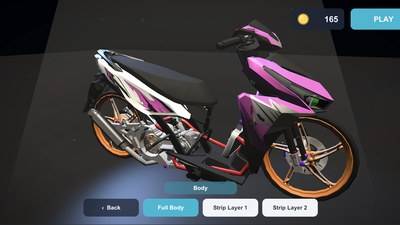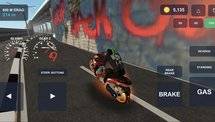
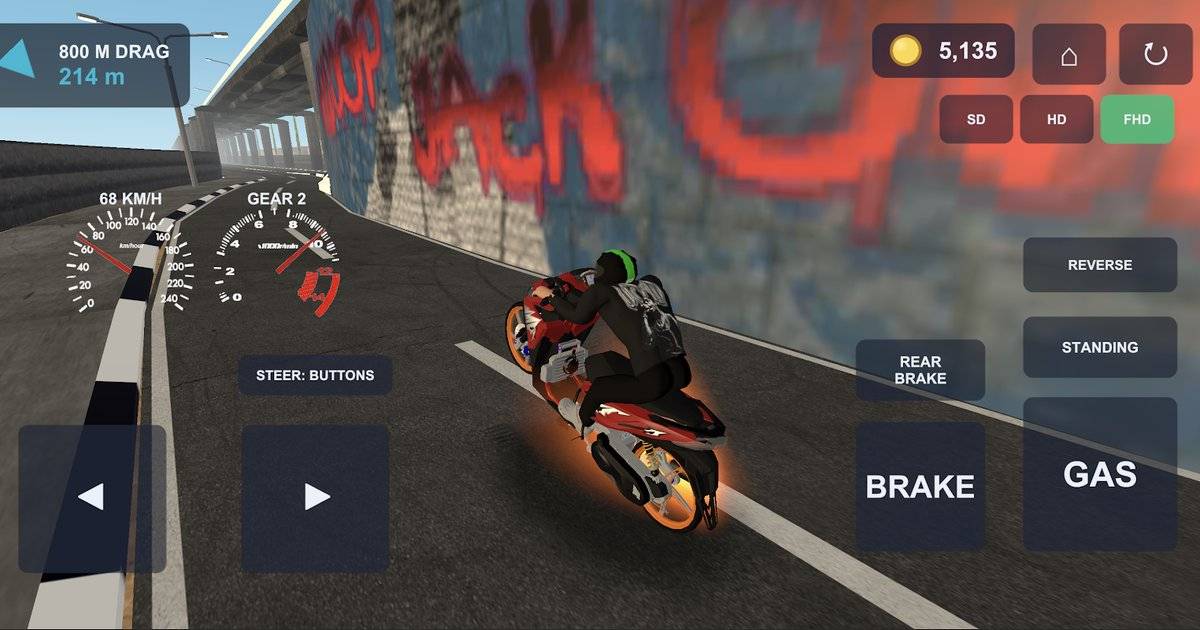
Drag Bike 201m Sunmori has quickly become one of Indonesia's most talked-about mobile racing games, attracting players with its modified motorcycles, short drag races and open-world riding inspired by local motorcycle culture.
Developed by Indonesian studio Mari Berkembang, the game brings together several racing experiences, including 201-meter sprints, 800-meter drag races and a circuit mode.
But players who prefer racing on a larger screen have another option.
The game's official Google Play listing now includes Windows alongside Android, with PC availability supported through Google's gaming platform.
That means players do not necessarily need to install an unofficial Android emulator or download modified APK files to experience Drag Bike 201m Sunmori on a computer.
Highlights
-
Drag Bike 201m Sunmori is officially listed for Android and Windows on Google Play.
-
Eligible Windows users can access the game through Google Play Games on PC.
-
Google's minimum PC requirements include Windows 10 version 2004, 8GB RAM and an SSD with 10GB of available storage.
-
Hardware virtualization must be enabled for Google Play Games on PC.
-
The game features four racing modes and three graphics settings: SD, HD and FHD.
-
Players should use the official Google Play platform rather than downloading unknown modified APK files.
Quick Answer: To play Drag Bike 201m Sunmori on PC, install Google Play Games on a compatible Windows computer, sign in with your Google Account, search for the game by Mari Berkembang and select Install if it is available for your device. Google lists Windows as a supported platform, although compatibility can vary depending on hardware and region.
Table of Contents
-
Is Drag Bike 201m Sunmori Available on PC?
-
Minimum PC Requirements
-
How to Download and Install the Game on Windows
-
What Can You Do in the PC Version?
-
Can You Transfer Progress From Android?
-
How to Fix Installation Problems
-
Frequently Asked Questions
Is Drag Bike 201m Sunmori Available on PC?
Yes. The official Google Play listing for Drag Bike 201m Sunmori identifies Android and Windows as supported platforms.
The Windows listing carries a note about Intel-powered technology.
For users with compatible computers, Google Play Games on PC provides an official way to install and play supported Android games on Windows.
This is different from downloading a standalone PC edition from an unofficial website.
Players should begin with the game's official store page to verify its developer and availability.
Official game page: Drag Bike 201m Sunmori on Google Play
The developer should be listed as Mari Berkembang.
Checking that name is important because several other games use similar drag-bike titles.
Drag Bike 201m Sunmori Minimum PC Requirements
Before installing the game, players need to make sure their computer can run Google Play Games on PC.
Google publishes minimum system requirements for its Windows gaming application.
| Component | Minimum requirement |
|---|---|
| Operating system | Windows 10, version 2004 |
| RAM | 8GB |
| Storage | SSD with 10GB of available space |
| Graphics | Intel UHD Graphics 630 or comparable GPU |
| Processor | Four physical CPU cores |
| Account | Windows administrator account |
| Virtualization | Hardware virtualization enabled |
Source: Google Play Help, Check if your PC can run Google Play Games on PC.
These are requirements for Google's PC gaming platform, not separately published minimum specifications for Drag Bike 201m Sunmori.
Meeting them does not guarantee identical performance on every computer.
Players with a stronger graphics processor and modern CPU may have more room to experiment with higher visual settings.
How to Download Drag Bike 201m Sunmori on Windows
The installation process begins with Google Play Games on PC.
Step 1: Download Google Play Games
Open your computer's web browser and visit the official Google Play Games website:
https://play.google.com/googleplaygames
Choose the option to download the Windows application.
Avoid downloading installers from websites that imitate Google Play or promise special unlocked versions.
Step 2: Install Google Play Games
Open the downloaded installer and follow the instructions.
Google Play Games will check whether your computer meets its requirements.
If the system is incompatible, the installation process may display a warning or prevent you from continuing.
Step 3: Enable Virtualization If Required
Some computers need hardware virtualization enabled before Google Play Games can operate correctly.
Google may also ask users to enable Windows Hypervisor Platform.
If prompted, follow the official instructions and restart the computer when necessary.
Changing BIOS or virtualization settings should be done carefully and according to the computer manufacturer's documentation.
Step 4: Sign In With Your Google Account
After installation, open Google Play Games and sign in.
Using the same Google Account as your Android phone may simplify access to eligible games and supported Google Play services.
However, cross-device save synchronization depends on each game's implementation.
Step 5: Search for Drag Bike 201m Sunmori
Use the search feature and enter:
Drag Bike 201m Sunmori
Look for the game published by Mari Berkembang.
If Google Play Games shows an Install option, select it.
If the game is unavailable or displays a compatibility warning, check the platform's device requirements and regional availability.
Step 6: Launch the Game
Once installation is complete, open Drag Bike 201m Sunmori through Google Play Games.
Explore the available controls and graphics settings before starting a race.
Google Play Games supports keyboard and mouse interaction, although specific controls can depend on the game.
Players should check the controls available in their installed version rather than assuming every action has the same key binding.
What Can You Do in Drag Bike 201m Sunmori?
The official game description lists four main racing modes.
| Game mode | Main experience |
|---|---|
| Drag 201 M | Short, two-lane racing with a standing start |
| Drag 800 M | Longer straight-line racing focused on top speed |
| Road Race | Circuit racing with corners and braking points |
| Open World | Free riding through city streets |
The Open World mode includes traffic, pedestrians and a day-to-night cycle.
Players can also customize their motorcycles.
Mari Berkembang describes five drag bikes with removable bodywork, interchangeable rims and exhausts, and different liveries.
The game also includes three graphics options: SD, HD and FHD.
These are advertised game features. Their exact performance on PC will depend on the installed version and the computer's hardware.
Can You Transfer Progress From Android to PC?
This is one area where players should be cautious.
Google Play Games can support cross-device progress synchronization for games that implement the necessary features.
However, the Drag Bike 201m Sunmori store description does not clearly confirm that motorcycle purchases, coin balances and garage customization automatically transfer between Android and Windows.
Using the same Google Account does not, by itself, prove that every game save will synchronize.
Before switching devices permanently, players should check whether the game provides a cloud-save or account-linking feature.
They should also avoid uninstalling the mobile version until their progress has been verified on the PC.
How to Fix Drag Bike 201m Sunmori PC Installation Problems
If Google Play Games fails to install or launch, the first step is to check the computer's specifications.
Make sure Windows is compatible, the SSD has enough free space and hardware virtualization is enabled.
Google also recommends enabling Windows Hypervisor Platform when required.
If the application still fails, restarting the computer or reinstalling Google Play Games may help.
Players who can open Google Play Games but cannot find Drag Bike 201m Sunmori should confirm the Google Account's Play country and check whether the game is supported on their particular device.
A missing Install button does not necessarily mean the game has been removed from Android.
Read Also: Drag Bike 201M Sunmori Hits 3.4 Million Installs, Now on Version 5.3.
Frequently Asked Questions
Can you play Drag Bike 201m Sunmori on PC?
Yes. The game's official Google Play listing includes Windows as a supported platform.
Is Drag Bike 201m Sunmori free on PC?
The game is listed as free to install on Google Play, with advertisements. Device compatibility still applies.
Do you need an Android emulator?
An unofficial emulator is not necessary if the game is available to install through Google Play Games on PC.
Can a PC with 4GB RAM run Google Play Games?
Google's published minimum requirement is 8GB RAM.
Is Drag Bike 201m Sunmori available on Windows 11?
Google Play Games supports compatible Windows computers, including eligible Windows 11 systems. Players should still check the platform requirements.
Can you use the same save on Android and PC?
The developer's public game description does not confirm automatic cross-platform save synchronization.
Conclusion
Drag Bike 201m Sunmori is no longer something players need to experience exclusively on a phone.
With Windows included in the game's official Google Play listing, eligible PC users have an official installation route through Google Play Games.
The most important step is checking hardware compatibility before installing.
For players who want to enjoy Indonesian drag-bike culture on a larger screen, the Windows option is worth exploring—without taking unnecessary risks with unofficial APK downloads.