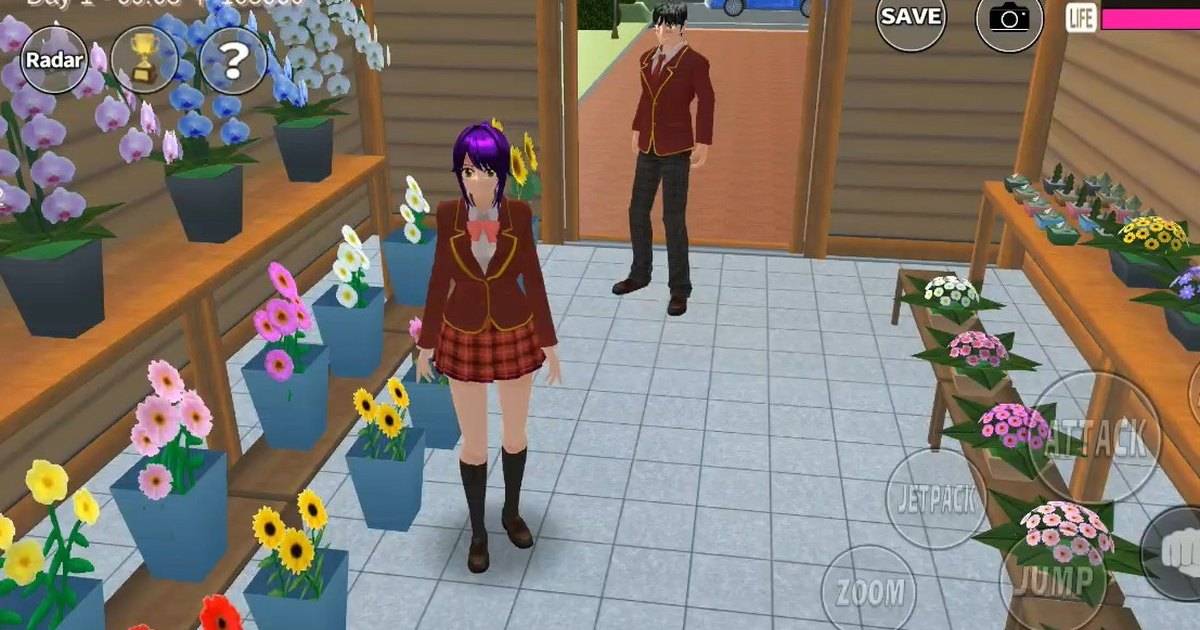
Not sure what to do after installing Sakura School Simulator? This guide explains the controls, characters, missions, jetpack, friendships and Props system, with a simple learning plan for new players.
Highlights
-
Sakura School Simulator is a single-player sandbox game that can be enjoyed without an internet connection.
-
Players can explore Sakura Town, attend school, interact with NPCs and create their own stories.
-
Beginners should learn the movement controls, HELP menu and camera before attempting difficult activities.
-
The jetpack makes travelling between locations easier once players understand how to control it.
-
Props IDs allow players to explore compatible community-created buildings and other designs.
-
A 30-minute introduction and seven-day practice plan can make the game less confusing.
Opening Sakura School Simulator for the first time presents a surprisingly difficult question: what should you do next?
There is no lengthy introduction telling players to defeat a particular enemy or complete a sequence of levels. Instead, the game places them in a Japanese-inspired town and gives them the freedom to decide how their adventure unfolds.
That can be exciting, but it can also leave beginners wandering around without knowing which controls or features matter.
Developed by Garusoft, Sakura School Simulator offers a mixture of school-life activities, social interactions and exaggerated anime-style situations.
The game is not built around one mandatory storyline. Players can explore, make friends, experiment with combat or create their own scenes.
Becoming an experienced player therefore means understanding the available tools rather than rushing toward an ending.
Quick Answer: To play Sakura School Simulator, start by learning the movement and camera controls, open the HELP menu, explore the school, interact with NPCs and practise using the jetpack. Once you understand the basics, try character customization, missions and Props editing. The game has no fixed ending, so you can choose your own goals.
What Is Sakura School Simulator?
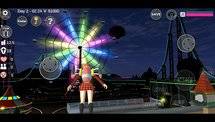
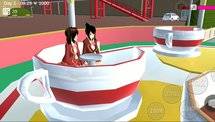
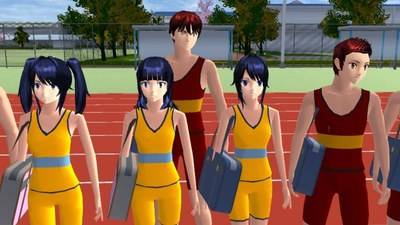
Sakura School Simulator is a Japanese school-life simulation game set in Sakura Town.
The game combines everyday activities with unusual situations inspired by anime.
Players can explore the town, attend school, interact with characters and use different movement options to travel between locations.
Garusoft describes two broad approaches to gameplay.
The first involves enjoying school life and building relationships.
The second allows players to experiment with more chaotic situations, including confrontations with hostile characters.
Neither approach is mandatory.
The game also supports switching between multiple playable characters within the same world. This does not make it a conventional online multiplayer game where friends automatically join the same session.
Before You Start: Download the Official Game
The first step is making sure you have installed the correct application.
Look for SAKURA School Simulator by GARUSOFT K.K. on Google Play or the official App Store.
Avoid modified APK files that promise unlimited money or instant access to every feature.
These versions are not official releases and may introduce security or compatibility problems.
It is also worth checking your device's performance.
Garusoft recommends more than 3GB RAM and processing capability above Snapdragon 820 for smooth gameplay on Android.
Actual performance depends on the device and the complexity of the scene being rendered.
Your First 30 Minutes in Sakura School Simulator
New players can make their first session easier by following a simple practice schedule.
This is a suggested learning exercise, not an official in-game mission.
| Time | Activity | Learning goal |
|---|---|---|
| First 5 minutes | Practise moving and changing camera angles | Understand basic navigation |
| 5–10 minutes | Jump and interact with nearby objects | Learn the action controls |
| 10–15 minutes | Explore the school | Remember important locations |
| 15–20 minutes | Speak with an NPC | Understand conversation options |
| 20–30 minutes | Practise flying and open the HELP menu | Learn advanced movement and game information |
By the end of this session, players should feel more comfortable controlling their character.
There is no need to search for rare items or attempt complicated battles immediately.
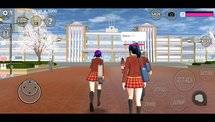
Sakura School Simulator Controls Explained
Understanding the basic interface is the foundation of enjoyable gameplay.
| Control | Function |
|---|---|
| Movement joystick | Moves the character |
| Camera controls | Changes the viewing direction |
| Jump | Allows the character to jump |
| Talk or Action | Interacts with characters and objects |
| Attack | Performs available combat actions |
| Jetpack | Enables flight |
| Menu and HELP | Opens settings and game information |
| Chara Edit / Props | Provides editing and customization options |
The exact position of these controls may change depending on the game version and device.
If a button does not appear, check whether the character is close enough to an interactive object or is currently performing another action.
How to Change Characters and Customize Outfits
Sakura School Simulator includes multiple playable characters.
Garusoft's official description states that players can control up to four characters in the same world, with two additional characters dependent on advertisements.
Character switching allows players to experiment with different appearances and situations.
To customize a character, open the available editing interface and explore the clothing, hairstyle and accessory options.
Begin with one change at a time.
This makes it easier to understand what each setting does.
For players who enjoy producing short videos, it can help to create separate looks for different activities.
For example, a school uniform may suit classroom stories, while casual clothing can work for an afternoon exploring Sakura Town.
How to Make Friends With NPCs
Social interactions are among the game's most important features.
Players can approach NPCs and select conversation options.
According to Garusoft, giving compliments and food can help improve relationships.
A simple beginner exercise is to talk to several students and observe how they respond.
Try friendly conversations before experimenting with unusual or aggressive interactions.
Players should remember that characters can react negatively to attacks.
Building positive relationships is especially useful when creating peaceful school-life stories.
Read Also: Sakura School Simulator Friendship Challenge: Seven Days of Peaceful Roleplay.
How to Explore Sakura Town With the Jetpack
The jetpack is one of the most useful movement features in Sakura School Simulator.
It allows players to travel vertically and explore the environment from above.
However, flying can be confusing for beginners who are still learning how to control the camera.
Start in an open area.
Practise taking off, maintaining a comfortable height and landing carefully.
Once you understand the controls, choose a familiar destination and attempt to reach it by air.
The jetpack can also help players investigate unusual locations, although not every building or area shown in community videos is part of the standard map.
Some locations are created with Props.
How to Complete Missions and School Activities
Sakura School Simulator offers different activities, but there is no mandatory sequence required to finish the game.
Players interested in missions should begin by checking the objectives available in their installed version.
Choose one goal and identify its location.
If the task involves a character, learn where that NPC is usually found.
If it involves combat, understand the movement controls and available equipment before starting.
For ordinary school-life activities, players can also create their own objectives.
For example, they might spend one session attending classes and another exploring the town.
Player-created activities should not be confused with official missions that offer rewards.
How to Use Props IDs in Sakura School Simulator
Props are one of the game's main creative tools.
They allow players to arrange objects and design custom environments.
Community-created buildings can also be shared through Props IDs where the relevant functions are supported.
To try a Props ID:
-
Find a code from a creator or source you trust.
-
Open the Props interface in the game.
-
Look for the available Props ID search feature.
-
Enter the code carefully.
-
Check the creation information before loading it.
-
Wait until the required content has finished loading.
An internet connection may be necessary for accessing shared creations.
Props IDs can become unavailable, and not every code found in an old video will continue working.
Beginners should start with a small design before attempting to load a large custom building.
Seven-Day Practice Plan for Beginners
Players who want a more structured approach can follow this optional schedule.
| Day | Focus | Suggested challenge |
|---|---|---|
| Day 1 | Basic controls | Move, jump and adjust the camera |
| Day 2 | Exploration | Visit three familiar locations |
| Day 3 | NPC interactions | Practise friendly conversations |
| Day 4 | Character customization | Create a new outfit |
| Day 5 | School activities | Complete one available activity |
| Day 6 | Props | Build a small decorative area |
| Day 7 | Creative gameplay | Create a short story or town tour |
This is a learning plan rather than an official seven-day event.
Players can repeat any activity until they feel comfortable.
How to Fix Lag and Improve Performance
Sakura School Simulator can become demanding when many characters and objects are visible.
Garusoft recommends reducing the number of displayed students and people if the game runs poorly.
Closing unnecessary applications can also help reduce memory pressure.
If gameplay becomes unstable, lower the graphics settings and restart the game.
Avoid immediately clearing application data or uninstalling the game, particularly if you have not confirmed how your progress is saved.
Performance problems do not always mean that the device is defective. They may reflect the number of objects, NPCs and visual effects being processed.
Frequently Asked Questions
Is Sakura School Simulator multiplayer?
The official Google Play listing identifies it as a single-player game. Switching between playable characters is not the same as online multiplayer.
Can you play Sakura School Simulator offline?
Yes. The main game supports offline play, although certain online content and advertisements require connectivity.
How do you use the jetpack?
Activate the jetpack through the available control and practise flying, changing direction and landing in an open area.
How do you get more playable characters?
Garusoft states that up to four characters can be controlled within one world, with two additional character options dependent on advertisements.
What are Props IDs?
Props IDs are codes used to access supported player-created arrangements and buildings.
Do you need cheats to become good at Sakura School Simulator?
No. Players can learn the controls, exploration mechanics and creative tools through the official game.
Conclusion
Learning Sakura School Simulator is easier when players focus on one mechanic at a time.
Start with movement and the camera, explore the school, practise talking to NPCs and gradually experiment with the jetpack and Props system.
The suggested 30-minute introduction and seven-day practice plan provide a foundation for beginners.
Once those basics feel natural, the game's open-ended structure becomes an opportunity to create your own adventures rather than a source of confusion.