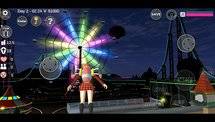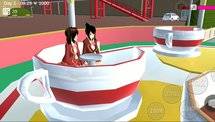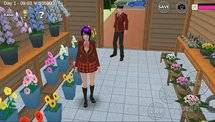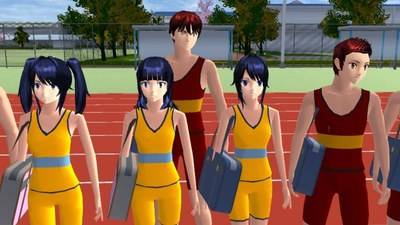
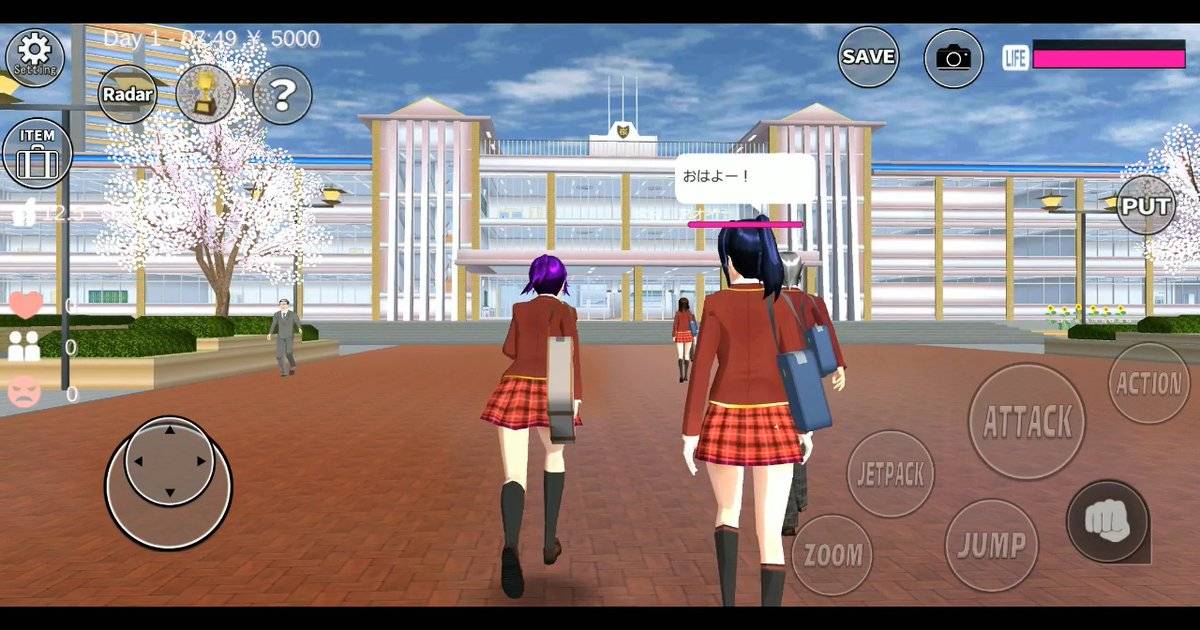
Sakura School Simulator gives players the freedom to explore a Japanese-inspired town, make friends, attend school and create their own adventures. Here's what beginners should know before getting started.
Highlights
-
Sakura School Simulator is a sandbox game without a fixed storyline or mandatory ending.
-
Players can explore Sakura Town, interact with characters and create their own activities.
-
Character customization includes hairstyles, outfits and other appearance options.
-
School life, friendships, exploration and combat are all part of the experience.
-
Understanding the basic controls and NPC interactions makes the game easier to enjoy.
Starting Sakura School Simulator for the first time can feel overwhelming. There is a school to explore, a town filled with different locations and plenty of characters to interact with. Yet the game offers relatively little pressure to follow a particular storyline.
That freedom is precisely what makes it different.
Developed by Japanese studio Garusoft, Sakura School Simulator combines everyday school life with the exaggerated situations often found in anime. Players can spend their time attending classes, meeting friends, exploring unfamiliar places or getting involved in chaotic encounters.
Unlike traditional games that require players to complete a series of levels, Sakura School Simulator lets them decide what to do next.
For beginners, the best approach is to understand how the game works before trying to discover every secret.
Quick Answer: To get started in Sakura School Simulator, choose a playable character, learn the movement and interaction controls, explore the school, talk to NPCs and gradually become familiar with Sakura Town. There is no mandatory final mission, so players can progress at their own pace.
What Is Sakura School Simulator?
Sakura School Simulator is a school-life sandbox game set in a fictional Japanese town.
Its environment combines familiar elements of student life with unusual activities that would feel more at home in an anime series.
Players can visit the school, explore the town, interact with other characters and experiment with different gameplay situations.
The game does not require players to follow a single storyline.
According to Garusoft's official description, there is no fixed ending. Players are encouraged to create their own situations and choose how they want to experience the world.
That means getting better at Sakura School Simulator is less about completing a final mission and more about understanding its mechanics.
How to Customize Your Character
Character customization is one of the first features beginners should explore.
Sakura School Simulator offers playable characters whose appearance can be adjusted using the available editing tools.
Depending on the installed version, players can experiment with different hairstyles, clothing, accessories and facial features.
To begin:
-
Launch the game and select your preferred playable character.
-
Open the character or costume editing interface.
-
Browse the available hairstyles and outfits.
-
Change one appearance option at a time.
-
Return to gameplay to check the result.
Players can create a traditional school uniform look or choose a more unusual outfit for their adventures.
There is no single correct appearance. Character customization is primarily about creativity and personal preference.
Explore School Life and Daily Activities
The school is an excellent starting point for understanding the game.
Players can walk through classrooms, explore hallways and interact with students and teachers.
The game also has an in-game time system, allowing players to experience different parts of the day.
A beginner might spend the morning exploring school buildings, visit a restaurant later and return home in the evening.
Attending school-related activities can also provide inspiration for player-created stories.
For example, players can imagine a typical school day that includes meeting classmates, visiting different rooms and spending time with friends after class.
These activities do not need to be treated as mandatory missions.
How to Make Friends With NPCs
NPCs, or non-playable characters, are an important part of Sakura School Simulator.
Players can approach them and choose from the available conversation options.
Garusoft explains that compliments and giving food can help improve relationships with other characters.
A friendly approach is generally more useful than immediately starting a fight.
To practise social interactions, begin by talking to a few characters around the school.
Pay attention to their reactions and experiment with positive dialogue choices.
Building relationships can make ordinary exploration more interesting, particularly for players who enjoy creating school-life stories.
Explore Sakura Town Beyond the School
The school is only one part of the game's environment.
Sakura Town includes residential areas, businesses, streets and other locations waiting to be explored.
Beginners should gradually become familiar with the map rather than immediately searching for every hidden place mentioned in online videos.
Start by identifying three useful locations: your starting area, the school and a nearby public destination.
Practise travelling between them until the routes become familiar.
Players can also experiment with available vehicles and the jetpack to reach destinations in different ways.
The jetpack is especially useful for exploring from above, although beginners should practise taking off and landing in an open area first.
Understanding Combat in Sakura School Simulator
Although Sakura School Simulator focuses heavily on school life, it also includes combat.
Players can encounter hostile characters and experiment with different ways to handle confrontations.
Garusoft makes it clear that fighting is optional.
The game supports different approaches to difficult situations, including avoiding enemies rather than confronting them directly.
An unusual part of the game's design is that characters do not permanently die.
They may become unconscious during confrontations and recover later.
For new players, the safest approach is to learn movement, camera controls and escape routes before experimenting with combat.
Beginner Tips to Improve Your Gameplay
Sakura School Simulator rewards curiosity more than rushing.
Begin by understanding the controls and checking the in-game HELP menu whenever something is unclear.
Spend time exploring the environment and learning how different NPC interactions work.
Do not feel pressured to complete every mission immediately. Try one activity at a time and gradually explore more advanced mechanics.
It is also worth checking your game settings if performance becomes unstable.
Garusoft warns that Sakura School Simulator can be demanding on some mobile devices. Reducing the number of displayed characters and closing unnecessary background applications may help.
Frequently Asked Questions
Is Sakura School Simulator free to play?
Yes. The game is available as a free download through supported official app stores and contains advertisements.
Does Sakura School Simulator have an ending?
No. Garusoft describes the game as an open-ended simulator without a fixed ending.
Can you make friends in Sakura School Simulator?
Yes. Players can interact with NPCs through conversations and other social activities.
Can you play Sakura School Simulator offline?
Yes. The game is listed as a single-player title with offline gameplay support, although certain online features require an internet connection.
Do you have to fight enemies?
No. Combat is optional, and players can choose to focus on school life and exploration.
Conclusion
Sakura School Simulator is at its best when players embrace its freedom.
Instead of rushing through missions or searching for every hidden location, beginners should first learn the controls, explore the school, make friends and become familiar with Sakura Town.
Once those basics are comfortable, the game opens up a wide range of possibilities, from peaceful school-life stories to more adventurous challenges.