You have built a house in Sakura School Simulator, sent the Props ID to a friend and waited for them to arrive. The building loads on their phone. Your character, however, is nowhere to be seen. That is not necessarily a connection problem. It is the difference between sharing a design and joining the same live game.
Garusoft’s school-life sandbox gives players considerable freedom to change characters, move around Sakura Town and create locations with Props. None of those activities automatically turns a solo session into an online room. The distinction matters because many tutorials use the words “play together” when they really mean “use the same build.”
Highlights
- Google Play describes Sakura School Simulator as a single-player game, rather than advertising a real-time co-op mode.
- Switching between controllable characters does not mean another person controls them over the internet.
- Props IDs allow a shared design to be retrieved; they do not carry a live player or a synchronized world.
- Friends can still collaborate on stories and construction plans, but each plays in their own session.
- Be careful with apps that advertise an unofficial multiplayer unlock or demand account credentials.
Quick answer: A friend cannot join your Sakura Town as a second live player through a Props ID. The official game is listed as single-player; sharing builds is different from sharing a multiplayer session.
Table of Contents
- What the official single-player label tells us
- Why a Props ID is not an invitation code
- How to collaborate with a friend anyway
- What to check when a video claims multiplayer exists
- A simple test that settles the confusion
- What would change if official multiplayer were added
- Frequently Asked Questions
What the official single-player label tells us
Look at the game’s Google Play listing before looking for hidden networking buttons. The listing identifies Sakura School Simulator as a single-player title. That is a straightforward statement about how the app is presented: an ordinary installation is designed around one person controlling the game, even when several characters appear on screen.
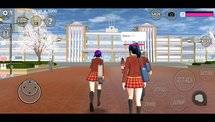
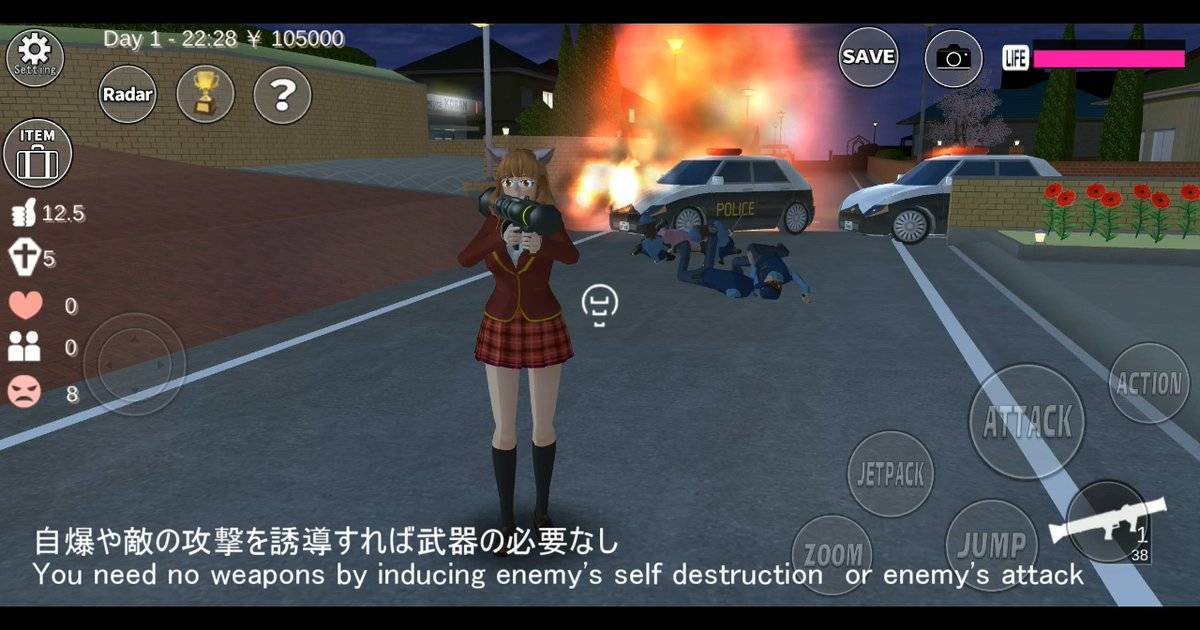
The game lets you switch among playable characters and interact with a town full of non-player characters. Those people are part of the simulation, not friends who have signed into the same session. Seeing two school uniforms moving in a clip is therefore not proof of multiplayer. The person recording may have arranged NPCs, switched characters or edited different takes together.
Why a Props ID is not an invitation code
A Props ID works more like a reference to a community-made arrangement of objects. Someone builds a café or house, saves the arrangement and uploads it through the sharing feature. Another player can retrieve the design using its ID, provided the shared data is still available and the service can be reached.
Once the design is loaded, the two players are still in separate worlds. If your friend moves a chair in their copy, it will not move on your screen. If you walk into the garden, your friend will not see a live avatar walking beside them. A Props ID is useful because it makes creative work reusable, not because it connects two phones for real-time play.
How to collaborate with a friend anyway
There is a genuinely fun alternative: work on the same idea asynchronously. Agree on a theme first. One person creates the exterior of a bookshop, while the other plans the interior and writes a short scene. Exchange screenshots and building notes so the layouts use similar dimensions, colors and furniture. Then share the finished Props arrangements where the game permits.
The same approach works for roleplay videos. Both players can film their parts separately and edit the clips into a conversation. Keep camera angles, time of day and costume colors consistent. It may resemble a live multiplayer story once edited, but label it accurately as a collaborative video, not a demonstration of a feature the game officially provides.
What to check when a video claims multiplayer exists
First ask whether the creator shows a genuine lobby, player identifiers and independent movement on two devices at the same time. A single screen recording with several characters proves very little. Next check whether the creator uses the official app from Garusoft or a modified package from another source.
An altered APK may include unauthorized changes, misleading overlays or security risks. Even when a clip is genuine, it may depict a different game with similar anime-school visuals. Compare the developer name and store listing rather than assuming the title printed on the thumbnail is correct. There is no reason to hand over a Props-sharing password just to visit a building.
A simple test that settles the confusion
Ask a friend to load the same shared building on their phone while you stand in your version of Sakura Town. Have each person move to a different place, change clothes or reposition a harmless prop. Watch both screens, not just one. A real synchronized room would need to transmit these changes from device to device.
If the changes remain separate, that is consistent with the design-sharing system. The test also gives you a practical way to explain the distinction to younger players: copying the same drawing does not mean two people are drawing on one sheet of paper. The Props data can match without the gameplay being connected.
What would change if official multiplayer were added
A genuine multiplayer release would normally come with developer announcements explaining connection methods, supported devices, limits and privacy controls. It would also need practical answers about whose world is saved, how players interact with NPCs and what happens if someone disconnects. Those are substantial features, not the result of entering a number.
For now, treat claims about surprise multiplayer codes as unconfirmed unless Garusoft documents the feature. That leaves plenty of room for shared creative projects without promising an online mode that the store does not list.
Frequently Asked Questions
Can two people control separate characters on one phone?
The game offers character switching, but that is not the same as simultaneous two-player control. The official store lists it as single-player.
Is a Props ID the same as a room ID?
No. A Props ID identifies a shared arrangement of objects. It does not invite a second player into your running game.
Can friends use the same house design?
Yes, when the creator has uploaded the design and it remains available through the game’s Props-sharing feature.
Does turning on Wi-Fi activate multiplayer?
No. A network connection may help with online sharing and ads, but it does not add a mode the developer has not provided.
Should I install a multiplayer mod?
Avoid unverified downloads. The official store listing is the safest starting point for checking supported features.
Final Thoughts
Sakura School Simulator is still a useful game for joint projects, but the teamwork happens around the game rather than inside a shared online room. Send designs, compare screenshots and edit stories together. Just do not confuse a reusable Props ID with a multiplayer invitation.
Read also: Props ID not loading: troubleshooting guide