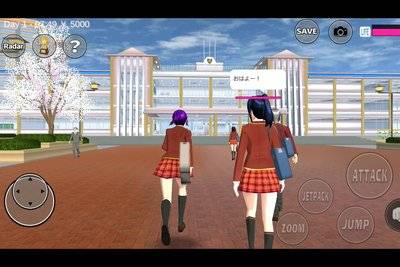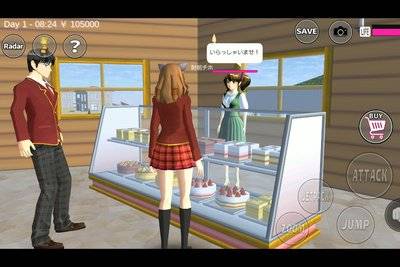
It is easy to spend an entire morning in Sakura School Simulator without attending a single lesson. A student runs past the school gates, the clock keeps moving, and before long the hallways are empty. If you want to play the game as an actual school day rather than a sightseeing trip through Sakura Town, learning the timetable makes a surprisingly big difference.
There is a genuine school-day structure here. Garusoft lists attending lessons among the activities available in the game, while community-maintained guides document six recurring school subjects and the rooms used for them. The important caveat is that classroom timetables are a gameplay reference, not a promise that every character follows an identical schedule in every version.
Highlights
- Classes take place during the in-game school day; Sakura School Simulator is not limited to free-roam roleplay.
- Community guides document Japanese, English, running, ballet, cooking and computer lessons.
- Classroom subjects and specialist activities happen in different places, so arriving at the right time is only half the job.
- Lesson order can vary between classes; check the classroom you are using rather than copying a random timetable from a video.
- Use the in-game clock and a simple route through the school to avoid missing the afternoon activities.
Quick answer: The school day generally starts around 8:40 a.m. in game time and runs through the afternoon. Japanese and English lessons take place in classrooms; running happens outside, ballet in the gym, cooking in the home economics room and PC lessons in the computer room. The class and version you play can affect the order you see.
Table of Contents
- Is the school timetable real?
- A practical school-day timetable
- Where each lesson takes place
- How to attend without getting lost
- What to do if you miss class
- FAQ
Does Sakura School Simulator Have a Real Class Schedule?
Yes, school lessons are part of the game, not an invented activity made solely for social videos. That matters because Sakura School Simulator is often described as a sandbox with no fixed ending, which is true but can be misunderstood. An open-ended game can still have routines, including a school timetable and places where lessons take place.
Garusoft's App Store description explicitly mentions attending school lessons. It does not publish a complete timetable in the store description, however. Detailed times and locations below come from community documentation. Treat them as a useful starting point, then compare them with the clock, classroom and character movements in your own version.
You do not have to attend every class to enjoy the game. There is no need to invent an automatic graduation system or claim that missing one lesson ends a storyline. The timetable is most helpful for players who enjoy structured daily-life roleplay and those trying to locate school activities.
The School Day, Period by Period
A Japanese-language community guide and a class-specific wiki document a typical six-period day. The approximate time windows below are for planning a route, not official universal timers published by Garusoft.
| In-game time | Typical activity | What to prepare |
|---|---|---|
| Before 8:40 | Arrive at school | Find your classroom and settle in |
| 8:40–9:40 | Period one | Check the subject for your class |
| 9:40–10:40 | Period two | Be ready to move rooms |
| 10:40–11:40 | Period three | Allow extra time for outdoor lessons |
| 11:40–12:30 | Period four | Follow the activity or teacher |
| 12:30–13:10 | Lunch break | Eat, explore or prepare for the next subject |
| 13:10–14:10 | Period five | Head to the specialist room if needed |
| 14:10–15:00 | Period six | Finish the last lesson |
| After 15:00 | Afternoon activities | Explore clubs or plan your own roleplay |
Some community references use slightly different lesson-end times, and subjects do not necessarily appear in the same order for every class. That is why the most reliable habit is to check the current activity rather than rely on a screenshot taken from another player's phone.
Where to Find the Six Main Lessons
Japanese and English: regular classrooms
These are the easiest lessons for a new player to locate. Begin in the classroom associated with the student you are playing. If the room looks quiet, check the clock first; you may have arrived between lessons or after classmates have left for another activity. The game's classroom arrangement gives an ordinary school-day backdrop even when you are not pursuing a mission.
Running: school grounds and track
Running lessons bring students outdoors. Do not confuse the activity with simply racing through the city. Head toward the school grounds and watch where the class gathers. This is also a sensible moment to practice camera control: keeping the track in view is easier than following a group from directly behind.
Ballet: the gymnasium
Ballet is held in the gym. A student dressed for class will fit the scene better than one arriving in a casual outfit from a shopping trip. Community guides refer to a special ballet costume for some activities. If an action does not appear, check whether the right character, clothing and time are in place before assuming the lesson is broken.
Cooking and PC: specialist rooms upstairs
For cooking, look for the home economics area; for computer lessons, find the PC room. These are not interchangeable with a normal classroom. Once you know where they are, you can move directly to them instead of searching the whole building every afternoon.
A Simple Route for Your First Complete School Day
Start a fresh morning in game time and make getting to class the only goal. Walk to the classroom, note the in-game time, then watch the next transition. When classmates leave, follow the group toward the new room rather than teleporting immediately. You will learn the building layout and see how ordinary student movements connect to the timetable.
For the second attempt, try the day without following anyone. Plan a short route from classroom to gym, track, home economics room and PC room. Keep the game at a stable graphics setting if the school grounds are crowded. If you record short clips, capture the door sign or a wide establishing shot so viewers understand which lesson you are attending.
This is also a useful way to write an original mini-story. A character who arrives late, cannot find the PC room and rushes back just before lunch gives a short video a beginning and an ending. It is player-created storytelling, not an official quest with a reward.
What If You Arrive Late or Miss a Class?
First, check the clock. It is very easy to mistake a deserted room for a bug when the class has already moved to the gym. Next, check the right classroom: a schedule recorded for Class 1-1 should not be treated as a guaranteed schedule for every student. Finally, avoid relying on old screenshots alone because individual updates can change characters or locations.
If you are testing how a particular lesson works, save beforehand and revisit it at the appropriate time. Avoid reinstalling the whole game just because a subject does not start. Nothing in the developer's public description suggests that uninstalling is a normal prerequisite for attending class.
Frequently Asked Questions
Can you really attend school lessons in Sakura School Simulator?
Yes. Garusoft lists lesson attendance as an activity in its official App Store description.
What time does school begin?
Community timetables commonly place the first period at about 8:40 a.m. in game time. Check your current class and version.
Where is the ballet class?
The gymnasium. Some class activities may also depend on the right outfit.
Are cooking and computer lessons in the same room?
No. Cooking uses the home economics room, while computing uses the PC room.
Will I graduate if I attend every subject?
Garusoft describes the game as open-ended with no final ending; do not assume that a complete day triggers a graduation storyline.
Final Thoughts
The classroom timetable gives Sakura School Simulator something its wildest videos rarely show: a believable rhythm. Arrive in the morning, keep an eye on the clock and learn where each subject takes place. Once the route is familiar, school becomes more than a backdrop for screenshots. It becomes a useful starting point for playing the town at your own pace.
Sources and Verification Notes
The gameplay observations above distinguish developer statements from community-maintained references. Menu labels, times and availability may vary by app version; check your installed game before publishing a platform-specific claim.