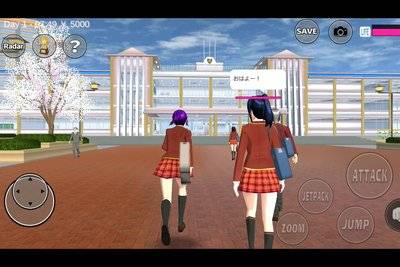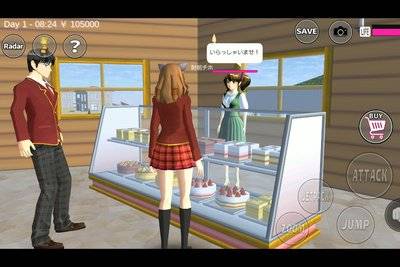
There is a particular kind of frustration in Sakura School Simulator: the game opens, the town loads and the character you want to use is right there in the menu, but the advertisement needed to unlock it will not play. The rest of the game may work normally, which makes the missing ad look like a much bigger problem than it is.
Garusoft confirms that the game lets players control and switch among four characters in the same stage, with two becoming available after watching ads. That is the starting point for troubleshooting. An ad failure is not evidence that a secret character code is missing, and it does not automatically mean your save has been corrupted.
Highlights
- Garusoft lists four controllable characters, with two accessible after watching advertisements.
- The game is listed as a single-player, offline-capable experience, but rewarded ads are a separate network-dependent feature.
- Connection problems, privacy settings or temporary ad unavailability can prevent an ad from appearing.
- Restarting and checking the official app version are safer first steps than clearing local game data.
- No unofficial unlocker or modified APK is required to use the game's intended ad-based system.
Quick answer: If a Sakura School Simulator reward ad does not load, check your connection, disable airplane mode, reopen the game and confirm that you are using an official current version. Ad availability is not guaranteed at every moment. Do not erase app data or install an unknown APK to force the character unlock.
Table of Contents
- Why characters are locked
- A safe troubleshooting checklist
- Offline play versus ad rewards
- What not to do to your save
- When to contact the developer
- FAQ
Why Are Two Sakura School Simulator Characters Locked?
Because the developer designed them that way. The official Google Play and App Store descriptions say that four characters can be controlled on the same stage, with two available after ads. It is not the same as an online multiplayer room: you remain the player controlling the session rather than inviting three other people to move independently.
This distinction solves two common misunderstandings. First, the characters are not necessarily removed from the game when an advertisement fails. Second, a video that promises to unlock them by entering an unrelated Props ID is confusing the sharing of player-built objects with an actual character access feature.
Ads are also used in other parts of the developer-described experience, including the car restoration shop's money-making activity. So an ad failure can affect more than the character menu without affecting the underlying school simulation.
Five Checks Before You Call It a Bug
1. Check whether the phone is actually online
Open a normal page in your browser or check another trusted service. Wi-Fi being switched on is not proof that the network is connected to the internet. If you are using airplane mode, turn it off before retrying an ad-based reward.
2. Return to the game and try once more
Some failures are temporary. Close the relevant menu and reopen it. If the whole game feels stuck, exit normally and relaunch. Do not tap an unavailable ad button repeatedly, because it will not create an advertisement where the service has none to offer.
3. Check the app version in the official store
Use Google Play or Apple's App Store to see whether an update is offered. Android and iOS builds may not carry the same version number on the same day, so compare your phone with its own store rather than a screenshot from the other platform.
4. Look at device privacy and network restrictions
A device-level network filter, unusually strict privacy restriction or local connectivity problem may interfere with an ad request. Review settings only if you understand them and keep the device's security protections intact. You should not need to compromise your phone's safety for a game character.
5. Try at another time
Rewarded ads are subject to availability. If the game works and only the advertisement is missing, carrying on with one of the accessible characters is a perfectly reasonable workaround for now. Do not interpret an unavailable ad as proof that the developer has removed the feature.
Why Offline Gameplay Can Still Have Online Ads
Google Play identifies Sakura School Simulator as a single-player game that can be played offline. That label describes the basic experience, not every connected service. In-game ads must be requested and delivered separately, while online sharing functions can have their own requirements.
| Activity | What to expect | Connection advice |
|---|---|---|
| Explore Sakura Town | Core single-player play | Generally works offline |
| Attend school lessons | Part of the simulated world | Not a multiplayer service |
| Watch an ad to access a character | Rewarded ad request | Requires ad availability and connectivity |
| Car shop ad reward | Developer-described ad activity | May not work offline |
| Download shared Props | Online community content | Typically requires a connection |
None of these differences makes the app misleadingly labelled. A mobile game can provide the world locally while obtaining optional rewards from an online ad system.
Do Not Delete Your Progress to Fix One Advertisement
Clearing app data and uninstalling are not harmless troubleshooting steps. Depending on the platform and configuration, they may remove local information. If you have spent time building Props scenes or developing a character setup, the cost of an unnecessary reset is far greater than the inconvenience of a locked ad.
Before any major troubleshooting action, examine the game's available save controls and the platform's backup arrangements. Do not assume a Props sharing account automatically backs up all game progress: sharing a design and backing up a device save are different operations. If you cannot confirm a backup, stick to non-destructive checks.
When Should You Contact Garusoft?
Contact the developer through its official store listing if the same ad fails consistently after ordinary connectivity checks and updates. Include the device model, operating system, approximate app version, what you were trying to unlock and a concise description of the screen. A screenshot of an error can help, but avoid sharing passwords or unnecessary personal data.
That report is more useful than simply writing "the game is broken." It tells the developer whether the problem concerns one reward, every ad or the app as a whole.
Frequently Asked Questions
Why are two characters locked?
Garusoft says two of the game's four controllable characters become available after watching ads.
Will an ad work in airplane mode?
Do not count on it. A rewarded advertisement normally needs a connection to be delivered.
Does an ad error mean I have lost the characters forever?
No. A failed ad request alone does not establish permanent removal or save corruption.
Should I clear app data?
Not as a first step. It can risk locally stored progress, so try safer checks first.
Is this a multiplayer unlock?
No. Controlling four characters is different from four people joining one live online game.
Final Thoughts
An unavailable advertisement is annoying, but it should not send you looking for a mystery APK. The developer's character system is clear; the ad service is the part that may be unavailable. Check the connection, keep the app official and protect your save. The town will still be there when the reward is ready to load.
Sources and Verification Notes
The gameplay observations above distinguish developer statements from community-maintained references. Menu labels, times and availability may vary by app version; check your installed game before publishing a platform-specific claim.