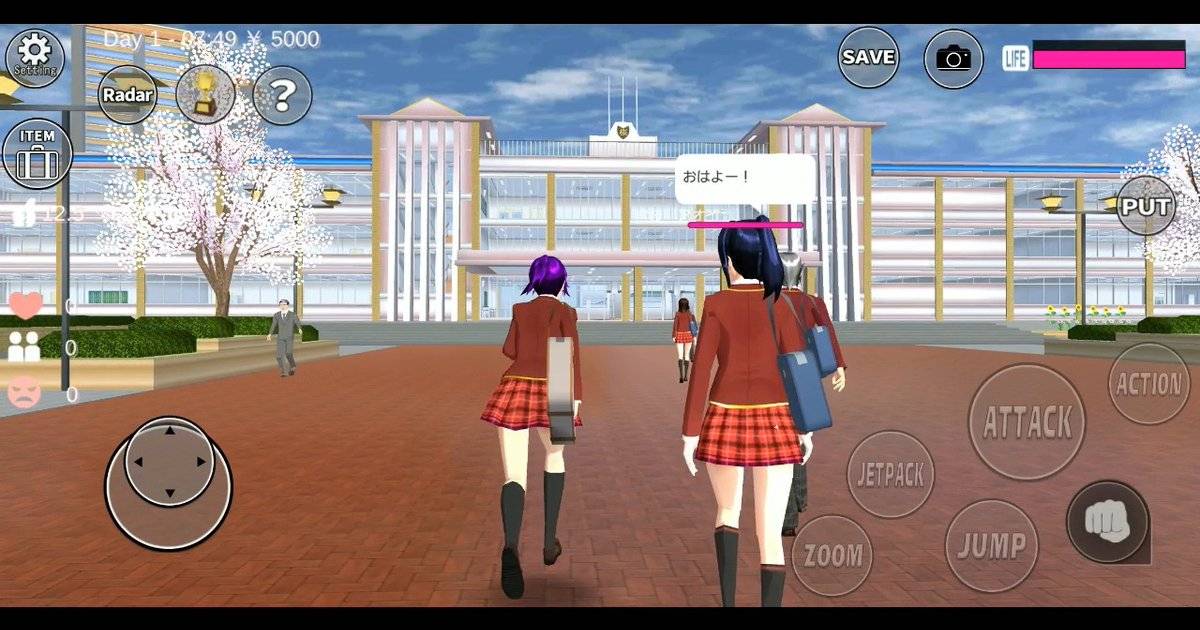
You visit a store in Sakura School Simulator, see something useful for the next scene, and realize your character is already carrying a collection of things you barely remember picking up. A full inventory may not sound dramatic, but it can turn an ordinary shopping trip into a frustrating loop around the town.
The community-maintained control guide documents a maximum of ten carried items per character. That number is useful, but it is equally important to understand what the game calls an Item and what it calls a Prop. A small inventory of things your character can carry is not the same system as objects you arrange to make a building or a film set.
Highlights
- The community control guide documents a ten-item carrying limit per character.
- The Item button displays what the character is carrying; Props are a separate placement and sharing feature.
- A large imported Props design does not mean your character can carry an unlimited number of shop items.
- A quick inventory check before a school trip prevents last-minute detours.
- Do not mistake one character's inventory for a universal, cloud-synced storage locker.
Quick answer: A community reference for Sakura School Simulator reports that each character can carry up to ten items. Open the Item menu to review what you have. Props used for building are managed separately, so plan a short list of food, gifts or accessories before setting out.
Table of Contents
- The ten-item limit
- Inventory versus Props
- What to bring for different activities
- What to do when the inventory is full
- Why Props IDs are not item storage
- FAQ
How Many Items Can You Carry?
The Sakura School Simulator community's control documentation states that the Item menu tracks a character's belongings and gives a maximum of ten items. Treat this as a version-sensitive community observation, rather than a number published in Garusoft's brief official store description. The fastest confirmation is to open the Item menu on your own device and inspect its slots.
The limit encourages a little planning. You can dress a character for an outing, but that does not mean every object they interact with belongs in the same carried-item list. The game's systems distinguish between interactable shop goods, character appearance choices and placeable building objects.
Item Inventory and Building Props Are Not the Same Thing
Items are the things your character can obtain and carry through the applicable interactions. Props are objects positioned in the world to create locations, furniture layouts or decorative scenes. Their editing and save controls are separate, which is why a screenshot showing hundreds of decorations should not be read as proof of a huge personal backpack.
| Question | Carried items | Props |
|---|---|---|
| Main purpose | Character use and interaction | Constructing or decorating a scene |
| Where to manage | Item menu | Props editing controls |
| What a limit means | How much one character can carry | Separate object-placement constraints |
| Share by Props ID? | Not the same as transferring inventory | Community build sharing is supported |
| Best way to plan | Choose essentials | Build a scene in stages and save it |
This difference also helps with troubleshooting. When a Props ID fails to download, that is a sharing or save-slot question. When your character cannot carry another purchased object, start with the Item menu. Mixing the two can make a simple problem much harder to solve.
What Should You Carry for a Day in Sakura Town?
For a normal school day
Keep your collection light. The point of an ordinary school scene is to move between classrooms, the gym and lunch without repeatedly opening your inventory. Take only what you intend to use, and leave room for something you might buy on the way home. A spare slot is more useful than an object that never appears in the story.
For a friendship or dating scene
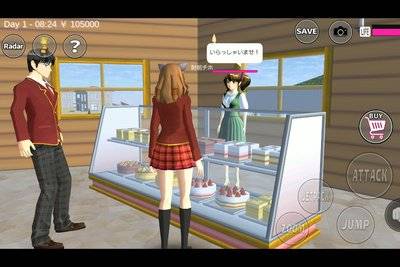
If you plan to give an item to another character, decide what the gift is before visiting several shops. Garusoft's game description supports buying things and giving them to other people, but that does not make every object equally helpful. Let the scene decide what is worth carrying rather than collecting everything you see.
For a photo or film session
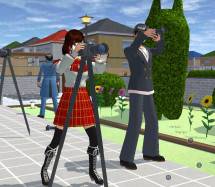
Plan the costume, location and poses first. Large background arrangements belong in Props rather than your character's carried-item planning. If a scene needs a visible hand-held object, make sure it is actually available through the appropriate item control in your version instead of treating a decorative Prop as guaranteed usable equipment.
What to Do When the Inventory Is Full
Open Item and review the contents. Look for belongings that have already served their purpose. Check the available in-game interactions for using or removing an item rather than assuming that a button labelled for one object will work on everything. The precise actions vary with item type, so there is no honest one-button solution that can be guaranteed for all ten slots.
It also helps to plan purchases before entering a shop. If you only need one gift, there is little reason to fill the available space with unrelated goods. For a longer outing, start from a saved, clean setup where practical. Avoid resetting the entire game just to reorganize a small carrying limit.
Can a Props ID Increase Your Inventory?
No evidence in the official or community documentation reviewed indicates that a Props ID is an inventory expansion code. Props IDs are intended for sharing player-built arrangements. They can bring an impressive-looking building into a save, but they do not turn the Item menu into a limitless storage system.
If a video claims that a random code creates 999 inventory slots, ask whether it demonstrates the actual standard game interface or a modified installation. The safest comparison is with your own menu and the developer's official updates.
Frequently Asked Questions
How many items can I carry in Sakura School Simulator?
The community-maintained control guide documents a maximum of ten items per character.
Where can I check my carried items?
Use the Item button in the gameplay interface.
Do Props count as carried items?
Props are part of a separate editing and building system; the two should not be treated as identical.
Does a Props ID unlock more inventory?
No such feature was confirmed in the sources checked for this guide.
Can I delete the game to clear my inventory?
That is not a sensible inventory fix and may put local save data at risk.
Final Thoughts
The ten-item rule may be small, but it creates a useful habit: pack for the scene you are actually going to play. Check Item before shopping, keep decorative Props separate from carried equipment and leave space for one unexpected purchase. Your character will spend more time exploring Sakura Town and less time wrestling with menus.
Sources and Verification Notes
The gameplay observations above distinguish developer statements from community-maintained references. Menu labels, times and availability may vary by app version; check your installed game before publishing a platform-specific claim.