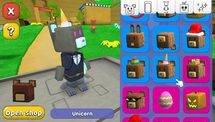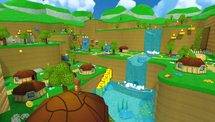
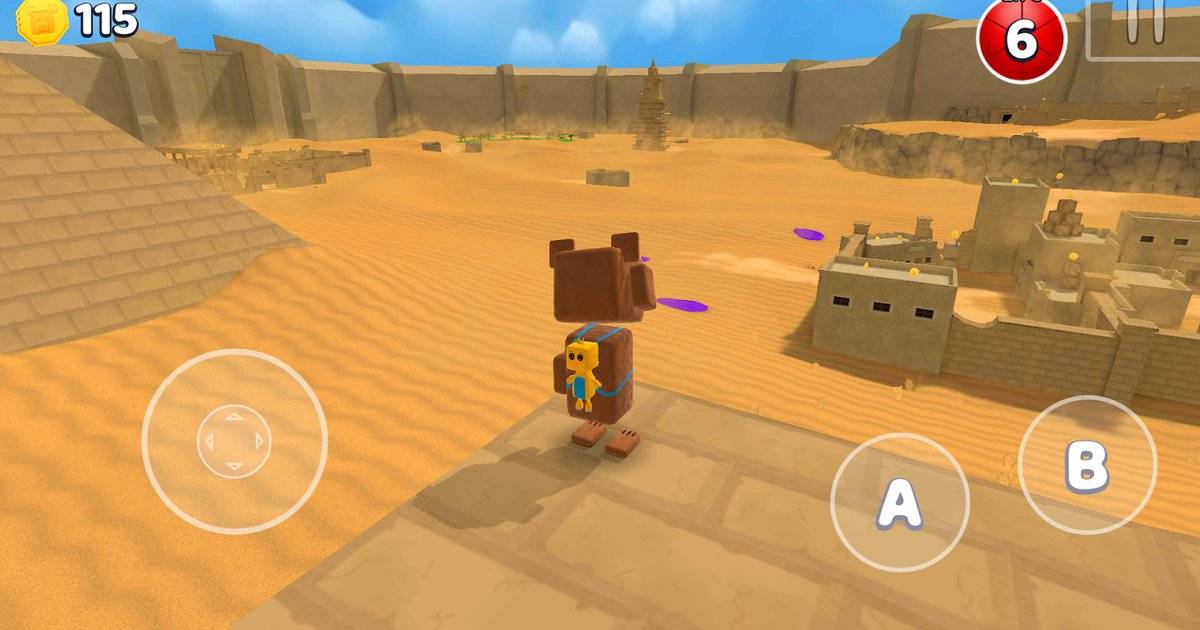
The most charming Super Bear Adventure screenshots rarely happen by accident. A bear posing against the wrong background can look like a blurry orange dot. Move the camera, wait for a cleaner view and suddenly the same scene tells a little story.
Earthkwak Games has an official Photo Mode, and its September 2026 update notes even mention a fix for 3D skyboxes not rendering correctly inside that mode. That gives players a useful starting point: you can improve your pictures with basic photography habits and current game tools, without pretending a random modded app is required.
Highlights
- Photo Mode is part of Super Bear Adventure, but options can differ by device and version.
- Update 13.0.5 fixed 3D skyboxes that were not rendering correctly in Photo Mode.
- Strong screenshots depend on composition, backgrounds and simple visual storytelling.
- Original in-game captures are safer and easier to explain than claiming a third-party mod adds official camera features.
Quick answer: Open the game's available Photo Mode controls, choose a clear subject, adjust the framing and take several screenshots with different distances. If a 3D skybox appears broken, check your official game version before blaming the location or installing anything unofficial.
Table of Contents
- What the official Photo Mode does — and what remains version-dependent
- Choose one clear subject for every picture
- Use foreground, subject and background to create depth
- Time the shot around movement and pose
- Get better light without claiming secret settings
- A simple five-shot challenge for creators
- What to do when the skybox looks wrong
- Frequently Asked Questions
- Final Thoughts
What the official Photo Mode does — and what remains version-dependent
Photo Mode gives players a way to concentrate on the composition of an in-game scene. The exact set of camera controls, filters or interface buttons should be checked on your installed version rather than taken from a screenshot of somebody else's platform. Android, iOS and Switch users may see different prompts, particularly when an update rolls out at different times.
The public 13.0.5 changelog specifically says a problem with 3D skyboxes in Photo Mode was fixed. That is a documented technical detail. It does not establish that every filter, free-camera mode or background swap you might see in an edited YouTube video is an official feature.
Before shooting, make sure the game is updated from its legitimate store. Then explore the camera controls in a safe area instead of during a timed challenge. Your first goal is simply to understand how framing changes the image.
Choose one clear subject for every picture
A screenshot becomes easier to read when viewers know where to look. That subject might be Baaren wearing an outfit, a bridge across a scenic area or two friends posed together. The background should support the subject rather than compete with it. If everything in the frame is equally bright and busy, nothing becomes memorable.
Try filling roughly a third of the frame with your main subject, then take a second shot with more environment visible. You may prefer the wider image, but the comparison will show whether the character is still recognizable. Avoid placing the subject exactly in front of another bright object that merges with the silhouette.
For social media thumbnails, check readability at small size. A dramatic full-screen shot may look weak as a tiny feed image. If it needs a giant caption to explain what is happening, the composition could probably be stronger.
Use foreground, subject and background to create depth
Look for a natural foreground element — grass, a fence, a rock or a doorway — then place the character beyond it. Leave enough distance that the foreground suggests depth without hiding the important action. The far background can be a mountain, architecture or another recognizable part of the world.
This three-layer approach creates visual storytelling without expensive effects. A screenshot looking through a doorway feels like a discovery; a screenshot of Baaren at the edge of a broad landscape feels like travel. Neither requires a developer-made photography quest.
If a location is visually crowded, move to one side or change the viewing angle. Do not add three unrelated props just because they are available. The best frame is often the one where you deliberately remove clutter.
Time the shot around movement and pose
Movement screenshots are harder than static portraits because a character's pose changes quickly. For action scenes, anticipate where Baaren will be, then frame that area first. Take several attempts rather than assuming the first will capture the jump clearly. If the game's controls let you pause or adjust the scene, test that option in your version; do not claim a particular key combination is universal.
For quieter pictures, build a scene around contrast. A tiny figure in a huge landscape tells a different story from a close-up of an expression or costume. If you want to show off an outfit, get close enough that the details can be seen. If you want to show the scale of a place, pull back and let the environment dominate.
Group photos need even more planning. Agree on where everyone should stand and what action they will perform. If players are moving around randomly, it is not a camera bug when the frame looks chaotic.
Get better light without claiming secret settings
Pay attention to which side of the subject is brighter. A character lit from behind can create a strong silhouette, but it may also hide cosmetic details. A side angle often gives a clearer view of shape. If you can change time or view parameters in your version, do so carefully; otherwise, simply choose a more evenly lit location.
Compare two images of the same scene before deciding that a filter is necessary. One from a low angle and another from eye level may look completely different. Too many effects can erase the textures and visual style that make Super Bear Adventure recognizable in the first place.
Do not describe outside image editing as an in-game Photo Mode feature. Cropping, text overlays and color correction are normal editorial work, but they should not be confused with developer tools available to every player.
A simple five-shot challenge for creators
Make one portrait, one action shot, one wide scenic image, one detail close-up and one group scene if you have friends available. This small challenge teaches composition faster than taking twenty near-identical pictures of a character standing still. Give each shot a clear reason for existing.
For the portrait, focus on the outfit. For the action shot, show movement and enough background to understand the setting. For the wide picture, make the environment the hero. For the detail shot, capture a small object or amusing visual moment. The group picture should show the relationship between characters, not just prove several players were online.
Save the unedited originals before making crops for different platforms. Those originals help when you need a larger version later or want to compare the result against a possible graphical bug.
What to do when the skybox looks wrong
If the background sky looks missing or broken in a three-dimensional scene, note your game version first. Update 13.0.5 included a specific fix for 3D skyboxes not appearing properly in Photo Mode. A recent official build is the first step, not a reason to install an unofficial APK.
Try leaving and reopening Photo Mode, then compare the same location in ordinary gameplay. If the issue only occurs in Photo Mode, that detail helps narrow it down. Restart the game and check again after ensuring the app has the latest compatible update. Keep a screenshot and the version number if you report the problem.
Do not delete a save file just to fix a graphical scene. That is a disproportionate reaction to a display problem and risks losing progress for no good reason.
Frequently Asked Questions
Does Super Bear Adventure have Photo Mode?
Yes. Earthkwak refers to Photo Mode directly in its official update changelog.
Why is my Photo Mode skybox missing?
A skybox rendering issue was fixed in 13.0.5. Verify your installed version and repeat the test before assuming the problem remains.
Do I need a mod for better screenshots?
No. Basic composition and the available official camera tools can improve screenshots without unofficial downloads.
Are the same camera buttons used on Android and Switch?
Do not assume identical inputs across platforms. Check prompts and settings on the device you use.
Can I edit my screenshot afterward?
You can crop or color-correct your image, but those edits are not necessarily built-in Photo Mode functions. Be clear about the difference when describing how an image was made.
Final Thoughts
A strong Super Bear Adventure picture has a clear idea behind it. Choose a subject, remove visual distractions, find a flattering angle and capture a few alternatives. Photo Mode is the tool; thoughtful framing is what makes a screenshot worth sharing.
Sources and version notes
Official references used to verify gameplay facts. Player-created build plans and troubleshooting checklists are editorial recommendations, not developer-prescribed missions.