Highlights
-
Sakura School Simulator version 1.048.24 was updated on Google Play on November 16, 2026.
-
The update introduces a setting called "Clear town from memory on pause."
-
Turning the setting off prevents the town from briefly becoming transparent when returning to the game.
-
Garusoft also fixes a bug involving cars moving without anyone inside.
-
Another correction addresses the appearance of cheesecake at the Cake Shop.
-
No new map, school location or major gameplay mode is announced in these release notes.
Sakura School Simulator continues to receive updates as developer Garusoft works on improving the game's increasingly complex world.
The latest documented Android release, version 1.048.24, arrived on November 16, 2026, according to the game's Google Play listing.
Unlike larger content updates that bring new hairstyles, costumes or decorative objects, this release is focused on smaller technical improvements.
One of the changes introduces more control over what happens when players pause the application or switch away from it.
The update also addresses two unusual problems involving vehicles and food presentation.
Although these changes may sound minor, they can make a difference for players who frequently switch between applications, explore Sakura Town or record gameplay footage.
Quick Answer: Sakura School Simulator 1.048.24 adds "Clear town from memory on pause" under System Setting. Turning it off prevents the town from briefly appearing transparent when players return to the application. The update also fixes a bug involving empty cars moving on their own and an issue with cheesecake appearing alongside its plate.
Table of Contents
-
What Is New in Sakura School Simulator 1.048.24?
-
How the New Memory Setting Works
-
The Driverless Car Bug Fix
-
Cake Shop Cheesecake Correction
-
How to Update Sakura School Simulator
-
Does the Update Add New Content?
-
Frequently Asked Questions
What Is New in Sakura School Simulator 1.048.24?
The latest update contains one new settings option and two documented bug fixes.
According to the game's official Google Play release notes, the changes concern temporary world display behavior, vehicle movement and a visual problem at the Cake Shop.
| Change | What it affects |
|---|---|
| Clear town from memory on pause | How the town appears when returning to the app |
| Empty car movement fix | Vehicles moving without occupants |
| Cheesecake correction | Cheesecake presentation at the Cake Shop |
The update does not introduce a new racing mode or autonomous vehicle feature.
It is important to distinguish a bug fix from a new gameplay mechanic, particularly when unusual vehicle behavior appears in screenshots or social media videos.
How Does "Clear Town From Memory on Pause" Work?
One of the most noticeable changes is the new System Setting option.
Garusoft describes a situation where the town may briefly appear transparent when a player returns to Sakura School Simulator after pausing the app.
The new option allows players to control that behavior.
Turning off "Clear town from memory on pause" prevents the temporary transparency effect described in the release notes.
How to Find the Setting
Players using a compatible Android version can follow these steps:
-
Launch Sakura School Simulator.
-
Open the game's settings menu.
-
Navigate to System Setting.
-
Look for "Clear town from memory on pause."
-
Turn the option off if you want to avoid the brief transparency effect.
-
Return to gameplay and test how the town appears after switching away from and back to the app.
The setting's exact position may depend on the installed version.
Garusoft's notes explain its visual effect but do not publish a detailed benchmark of memory usage with the option enabled or disabled.
Players should therefore avoid assuming that switching it off automatically improves performance or battery life.
On devices with limited memory, it is sensible to test both configurations and use the one that works more reliably.
Garusoft Fixes Cars Moving Without Drivers
The update also addresses an unusual vehicle problem.
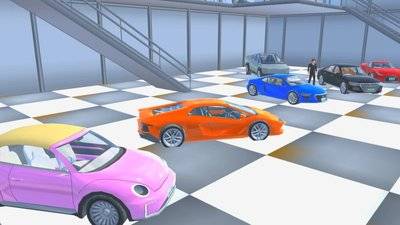
The release notes identify a bug involving cars that move even when nobody is inside.
That behavior could be confusing for players exploring Sakura Town or trying to create believable driving scenes.
For instance, a parked car moving unexpectedly could interrupt a roleplay sequence or make a screenshot difficult to stage.
Version 1.048.24 includes a correction for this issue.
However, the developer's statement should not be interpreted as an announcement of self-driving cars.
The update fixes unintended movement rather than adding an autonomous driving mode.
Players who continue to experience similar problems after updating should check whether the issue occurs consistently and report it through the game's official support channels.
Cheesecake at the Cake Shop Gets a Visual Fix
The third documented change concerns a much smaller detail.
Garusoft has corrected the way cheesecake appears when a character eats it at the Cake Shop.
The patch notes refer to a presentation issue involving cheesecake and its plate.
Although this does not introduce a new restaurant or cooking feature, it reflects the developer's ongoing attention to everyday interactions.
These smaller details are particularly relevant to players who create food-themed videos or roleplay scenes.
A character eating dessert at a café might only be a brief moment in a longer story, but visual errors can make that scene look less convincing.
How to Download Sakura School Simulator 1.048.24
Android players should use the game's official Google Play listing.
Step 1: Open Google Play
Launch Google Play on your Android phone or tablet.
Step 2: Search for the Game
Enter "SAKURA School Simulator" in the search field.
Confirm that the developer is GARUSOFT K.K.
Step 3: Check for Updates
Open the game's official listing.
If the Update button is available, select it.
If the store shows Play instead, check the installed version and whether the latest update has already been applied.
Step 4: Restart the Game
Once the update finishes, launch Sakura School Simulator.
Open System Setting and look for the new memory option.
Step 5: Test the Changes
Switch away from the game briefly and return.
Observe whether the town appears normally.
Players can also revisit familiar driving areas or the Cake Shop to check the corrected interactions.
Avoid uninstalling the game unnecessarily, especially if you have not confirmed how your saved progress is stored.
Does Version 1.048.24 Add New Costumes or Locations?
The published 1.048.24 notes do not announce additional costumes, hairstyles, major locations or new missions.
Garusoft previously expanded the game's creative features through other updates.
Version 1.048.18, for example, introduced adjustable sun positioning and longer display distance options on supported Android devices.
Later releases addressed issues involving the game environment and character interactions.
The November 16 update follows that maintenance-focused approach.
Players looking for a new map or major gameplay expansion should wait for an official announcement rather than relying on speculative update videos.
Read Also: Sakura School Simulator 1.048.22: The 5 Bugs This Update Fixes.
Frequently Asked Questions
What is the latest Sakura School Simulator Android version?
As of November 20, 2026, the latest version identified in the sources reviewed for this article is 1.048.24, dated November 16 on Google Play.
What does Clear Town From Memory on Pause do?
It controls behavior associated with pausing the application. Turning the setting off prevents the town from briefly becoming transparent when returning to gameplay.
Does the update add self-driving cars?
No. The release notes describe a fix for unintended movement by cars without occupants.
Does version 1.048.24 add new hairstyles?
The published update notes do not list new hairstyles.
Is this update available on iPhone?
The changes reviewed here come from the Android release information. Players on iOS should check the App Store's version history for their platform.
Is Sakura School Simulator free to update?
The official Android game is free to download, and compatible updates are distributed through Google Play.
Conclusion
Sakura School Simulator 1.048.24 is a relatively small update, but it addresses problems that can interrupt ordinary gameplay.
The new memory setting gives players more control over how the town appears when returning to the application, while the vehicle and Cake Shop fixes correct specific gameplay issues.
For Android players, updating through Google Play is the safest way to obtain these improvements.
Although this release does not introduce a major content expansion, it demonstrates Garusoft's continued efforts to refine the game.