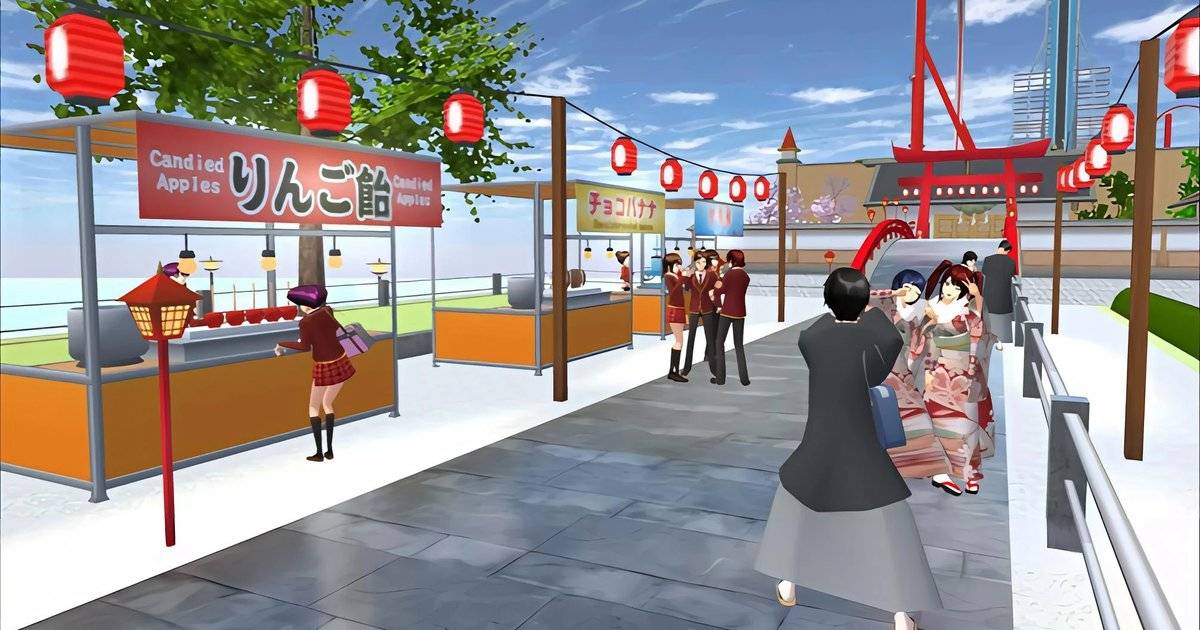
- A night market can be built from props like Food stall, Paper lantern and Illumi line.
- Food props include Ramen, Gyoza, Hamburger and Riceball.
- Keep the whole build under 340 props, the limit listed by the community wiki.
- Floor and Board from Primitive Objs work as paving and shop signs.
- No mods needed: every prop is in MENU, Props.
After treehouses, claw machines and concert stages, a night market is one of the best builds for evening roleplay in Sakura School Simulator. Rows of snack stalls, colorful lights and a game corner can all be made with the game's built-in props.
A night market works because it is busy, bright and full of reasons for characters to interact. You can roleplay a date, a night out with friends or a snack challenge with a tight budget.
This guide uses prop names from the props list on the Sakura School Simulator community wiki, so you can find each item in the Props menu without any extra apps.
Quick answer: To build a night market in Sakura School Simulator, open MENU, Props, lay Floor tiles as a walkway, line up several Food stalls, fill them with food props such as Ramen, Gyoza and Hamburger, then light the area with Paper lanterns and Illumi lines. Add Benches, a BBQ table set and a game corner while staying under 340 props.What You Need for a Night Market
A convincing night market has four parts: a row of stalls, lighting, seating and one main attraction. All four can be built with props from the Garden Outdoors, Cooking Foods, Furnitures and Primitive Objs categories.
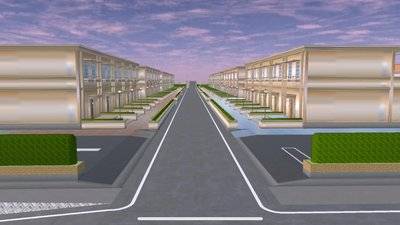
Choose flat, open land such as an empty lot near the beach or the housing area. Avoid main roads so NPC cars do not crash into your stalls.
Plan your prop budget early. The community wiki lists a limit of 340 props per build, enough for six to eight complete stalls if you do not overdecorate.
| Need | Props to use | Category |
|---|---|---|
| Snack stalls | Food stall | Garden Outdoors |
| Food on display | Ramen, Gyoza, Hamburger, Sandwich, Riceball, Cola, Green tea, Coffee | Cooking Foods |
| Lights | Paper lantern, Stone lantern, Illumi line 01-03, Illumi light board, Outside light | Garden Outdoors |
| Seating | Bench, BBQ table set | Garden Outdoors |
| Paving and signs | Floor, Board, Cube | Primitive Objs |
| Barriers | Fence, Safety cone | Garden Outdoors |
Prop names follow the Props page of the Sakura School Simulator community wiki. Availability may change with game updates.
Step 1: Line Up the Snack Stalls
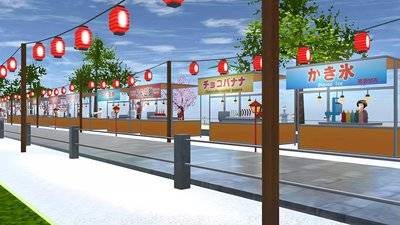
Start with Floor props as paving so the market stands out from the ground around it. Lay them out like a street and leave a wide path in the middle.
Place Food stalls on both sides. Leave enough space between stalls so characters do not get stuck when turning, and so the camera can see what each stall sells.
Give each stall one food theme: a ramen stall with Ramen and Empty bowls, a gyoza stall, a burger stall with Hamburgers and Cola, and a drinks stall with Green tea and Coffee. Clear themes make buyer and seller roleplay easier.
Use a scaled-down Board or Cube as a sign above each stall. You cannot write on them, but color and position are enough to tell shops apart.
Step 2: Light It Up for the Evening
Lighting is what makes a night market. Hang Paper lanterns in a row above the walkway. For a string-light effect, stretch Illumi line 01, 02 or 03 between stalls.
Mark the entrance with a Stone lantern or Outside light, and put an Illumi light board at the far end as a photo backdrop.
Test the look at night in the game. Too many lights in one spot can slow down your phone and wash out screenshots, so remove some if the frame rate drops.
Step 3: Add Seating and a Game Corner
Create a dining area in the middle or at the end of the market with a BBQ table set and Benches. Add a BBQ stove and Camp fire for a grilled-food atmosphere.
For attractions, the Watermelon splitting prop makes an instant mini-game, and a homemade mini claw machine works as a prize booth.
Enclose the area with Fences and Safety cones. A clear entrance makes roleplay with ticket queues or security guards feel more real.
| Zone | Estimated props | Main items |
|---|---|---|
| Six stalls | 100-160 | Food stall, food props, signs |
| Lighting | 40-70 | Paper lantern, Illumi line |
| Dining area | 20-40 | BBQ table set, Bench, BBQ stove |
| Games and barriers | 30-60 | Watermelon splitting, Fence, Safety cone |
Prop estimates are illustrative and depend on how detailed each player's decoration is.
Tips to Keep the Market Lag-Free
Split the market into zones such as food, games and seating, and save after each zone so progress is not lost if the game closes.
Count props as you go. A finished stall with food and lights can use 15 to 30 props, so eight stalls alone can take more than half of the 340 limit.
When sharing your build, upload it with Share-Upload and post the Props ID together with the prop count, so players with low-RAM phones know what to expect.
FAQ (Frequently Asked Questions)
No. Props such as Food stall, Paper lantern and Illumi line are all in the built-in Props menu. Use Food stall as the booth and fill it with food props like Ramen, Gyoza, Hamburger, Sandwich and Riceball. The community wiki lists a limit of 340 props per build, so plan stalls and lights in advance. Paper lanterns, Illumi lines for string lights, and a Stone lantern or Outside light for the entrance. Avoid stacking lights, split the market into zones and keep an eye on your prop count.1. Do I need mods to build a night market in Sakura School Simulator?
2. Which props work as food stalls?
3. How many props can a night market use?
4. What lights suit a night market?
5. How do I stop the market from lagging?
Conclusion
A night market in Sakura School Simulator is built step by step: stalls first, then lights, seating and attractions. Start with a few stalls, test the look at night and expand until it feels busy enough for roleplay with friends.
- Stalls use Food stall plus food props.
- Lights come from Paper lantern and Illumi line.
- Seating uses BBQ table set and Bench.
- Stay under 340 props.
- Save after each zone to protect progress.